How to display available agents, and not display unavailable ones when they are offline
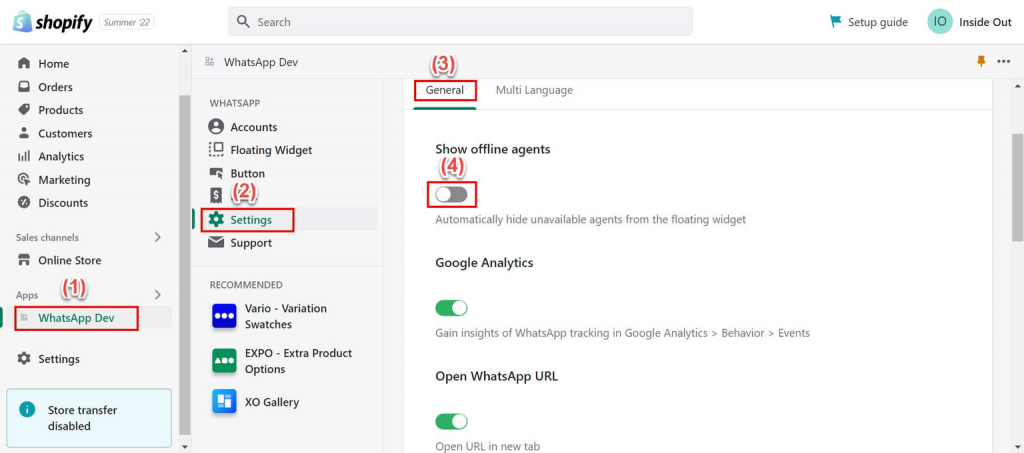
To achieve this, go to WhatsApp Chat Widget > Settings > General > Show offline agents (Toggle ON or OFF).
This is an image showing how to hide offline agents:
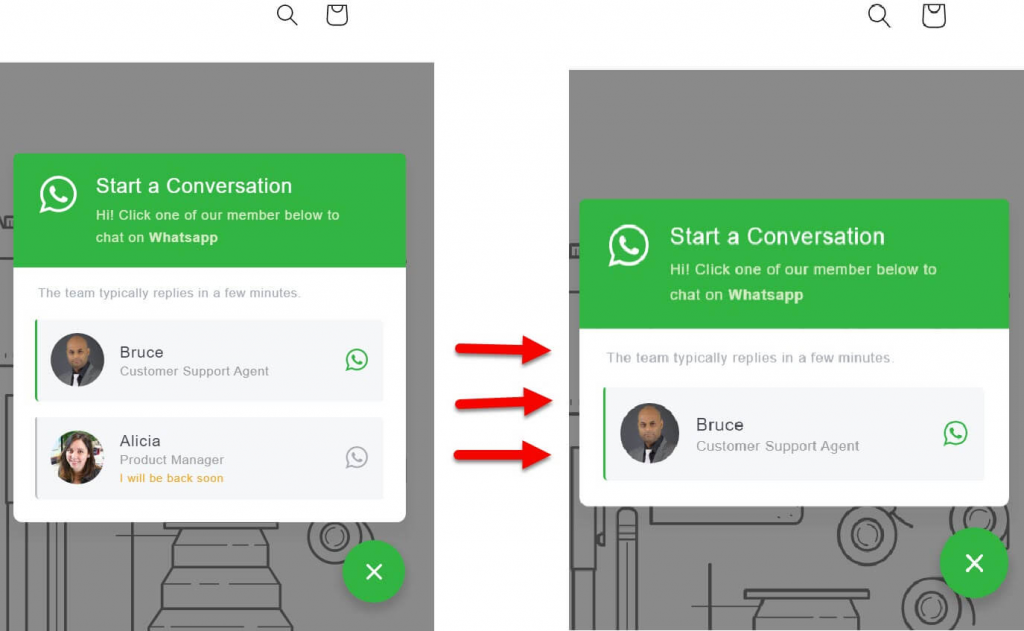
The following image shows side-by-side comparison of how the offline “Alicia” account appears (left image) in frontend before we toggle OFF the option. And to the right after we toggle ON the option: