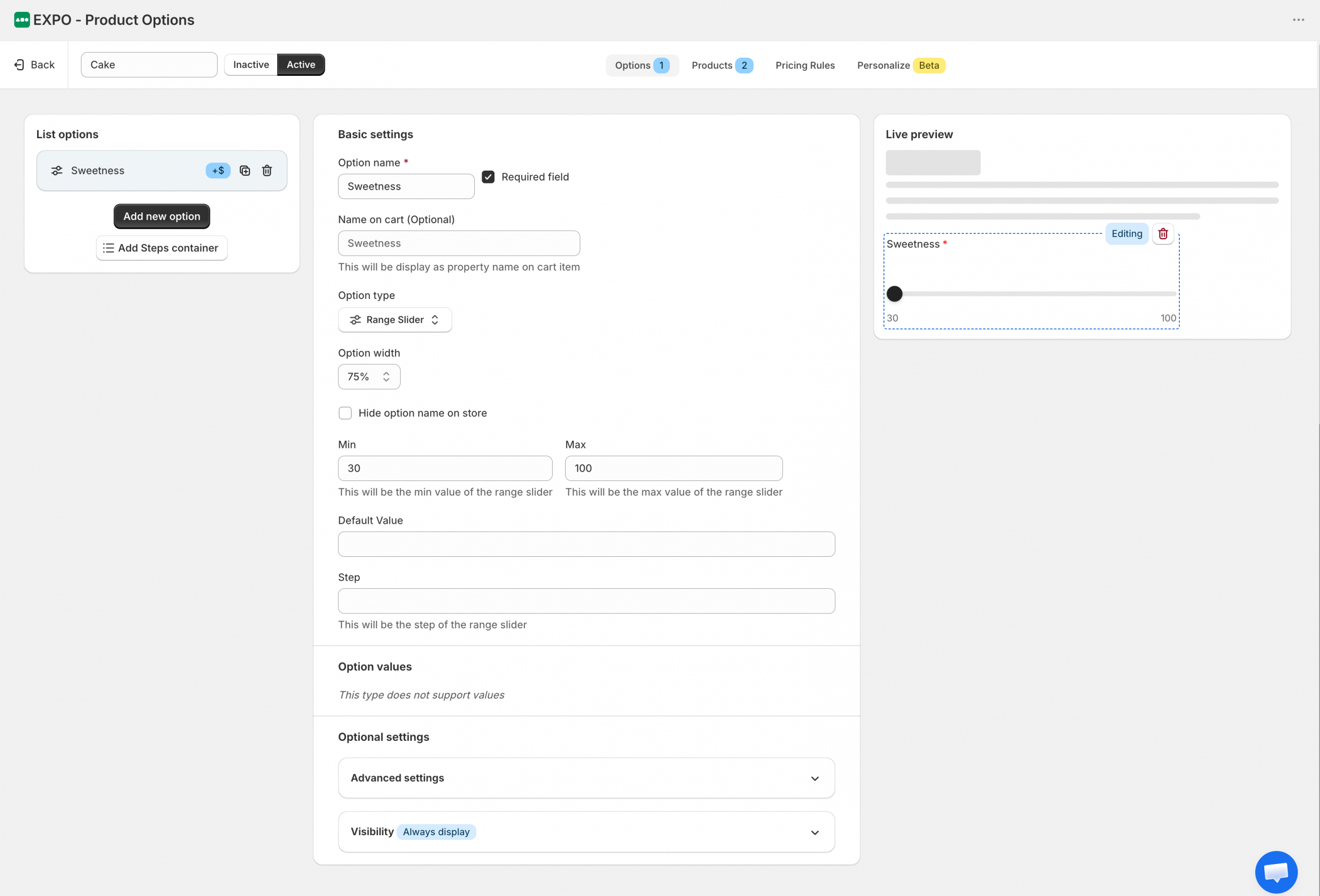
The Range Slider option allows shoppers to select a numeric value by dragging a slider within a defined range. It is commonly used for measurements, quantities, percentages, sweetness levels, donation amounts, or any configurable value with a minimum and maximum limit.
Configuration
After adding a Range Slider option to your option set, you can customize its display, value range, and visibility settings.
Basic settings
The Basic settings section controls how the option is displayed and configured throughout your store.
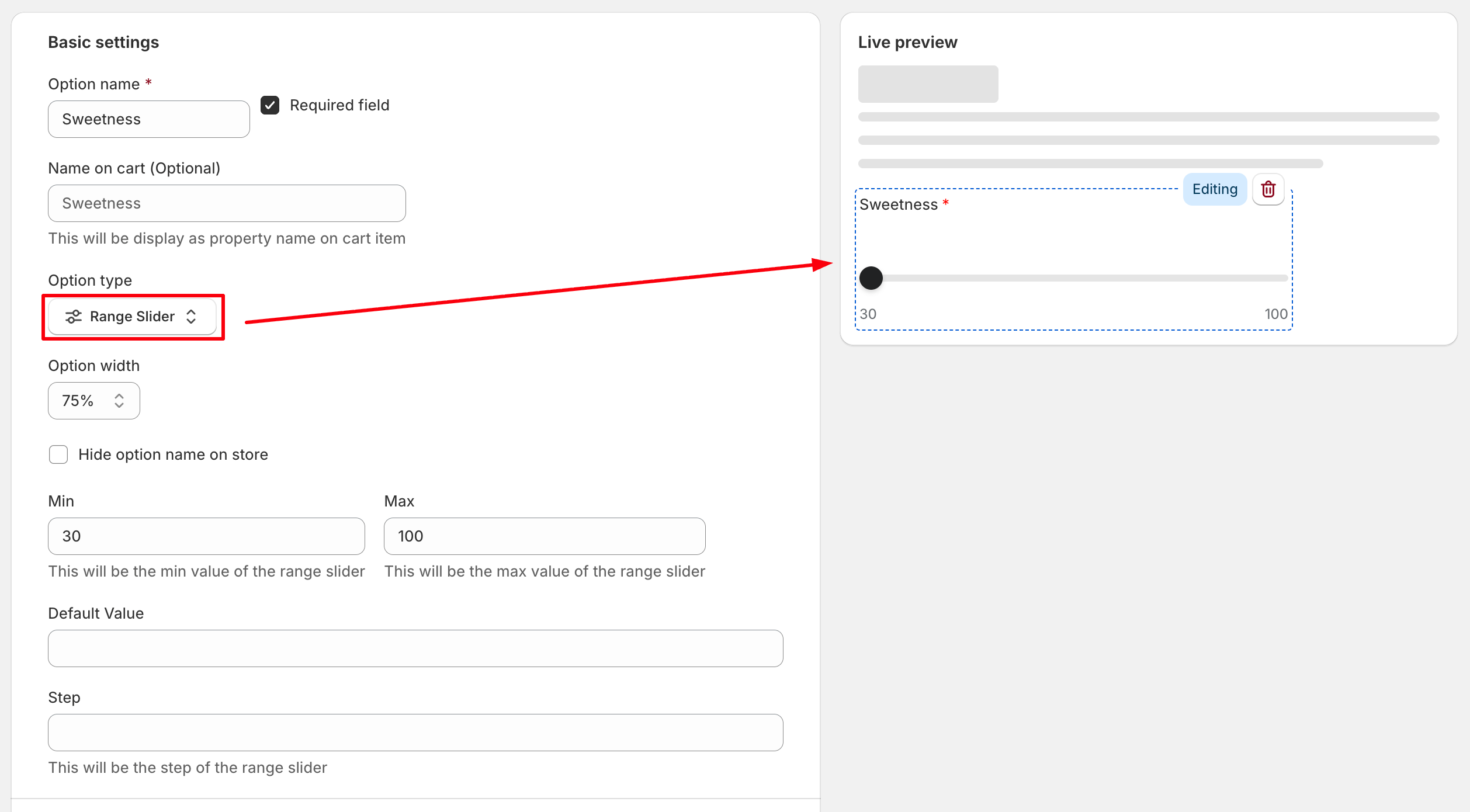
- Option name: The label displayed to shoppers on the storefront.
- Required field: Require shoppers to select a value before adding the product to the cart.
- Name on cart: Customize how this option appears in the cart, checkout, and order details. If left empty, the Option name will be used.
- Option width: Control how much horizontal space the option occupies within the product form.
- Hide option name on store: Hide the option label on the storefront while keeping the slider visible.
- Min: The minimum value shoppers can select.
- Max: The maximum value shoppers can select.
- Default value: The value selected when the product page first loads. If left empty, the slider starts at the minimum value.
- Step: The increment used when moving the slider.
For example, with a minimum value of 30, maximum value of 100, and a step of 10, shoppers can select 30, 40, 50, 60, and so on.
Option values
Range Slider does not use predefined option values. Instead, shoppers select a value directly from the configured range.
Optional settings
Expand this section to access advanced configuration and visibility settings.
Advanced settings
Configure additional information and validation messages for the option.
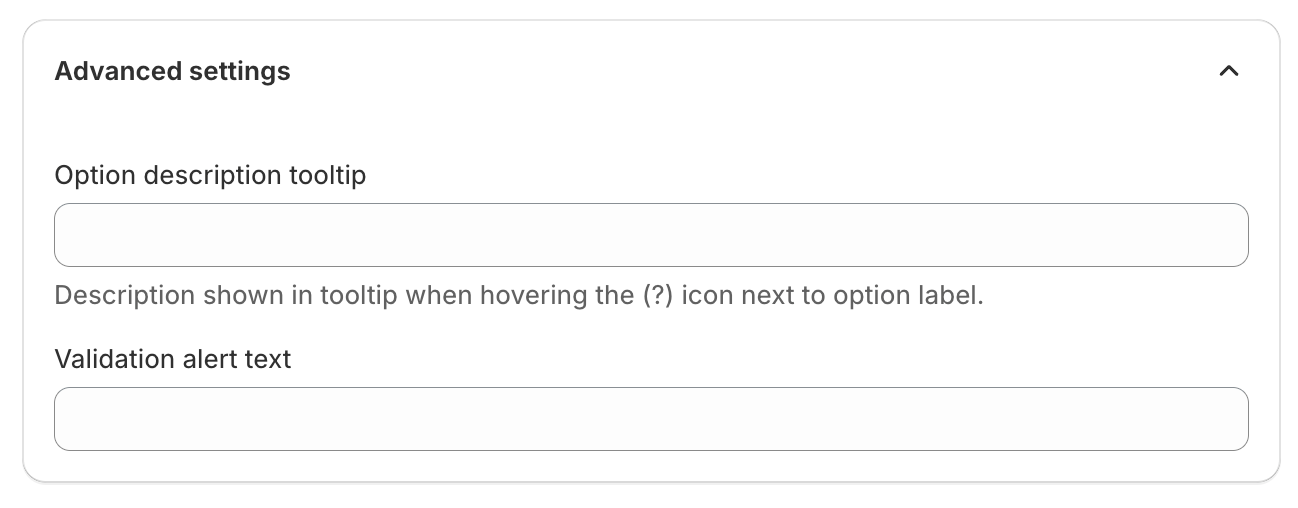
- Option description tooltip: Display additional information when shoppers hover over the tooltip icon next to the option label.
- Validation alert text: Custom error message displayed when validation requirements are not met.
Visibility
Use visibility rules to control when this option is displayed.
You can show or hide the option based on other option selections or configured conditions.
Frontend display
On the storefront, the Range Slider option appears as a draggable slider control.
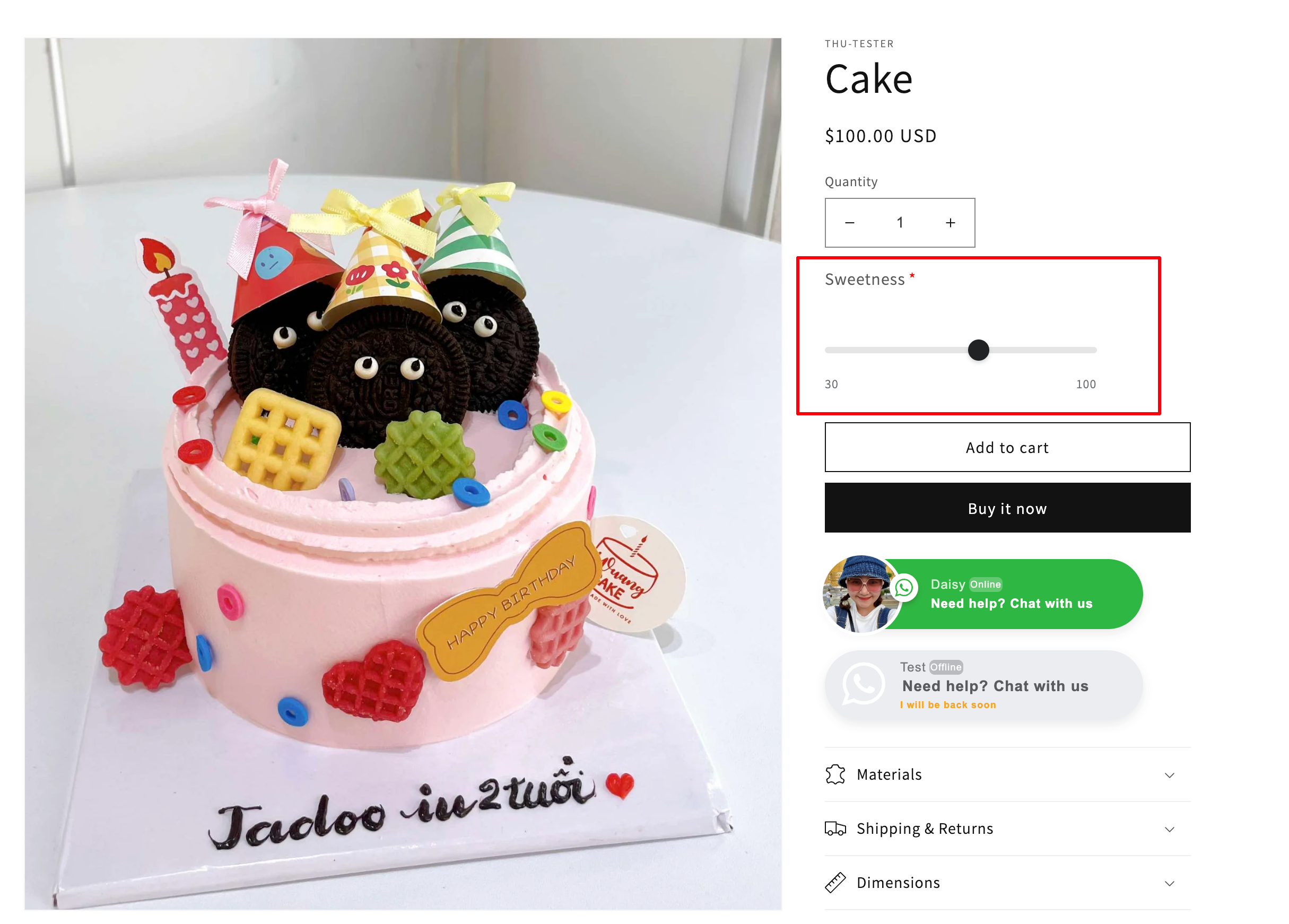
Shoppers can drag the slider handle or tap/click along the slider track to select a value within the configured range. The selected value is automatically saved with the product configuration.
The selected value is saved with the order and remains available throughout the purchasing workflow.
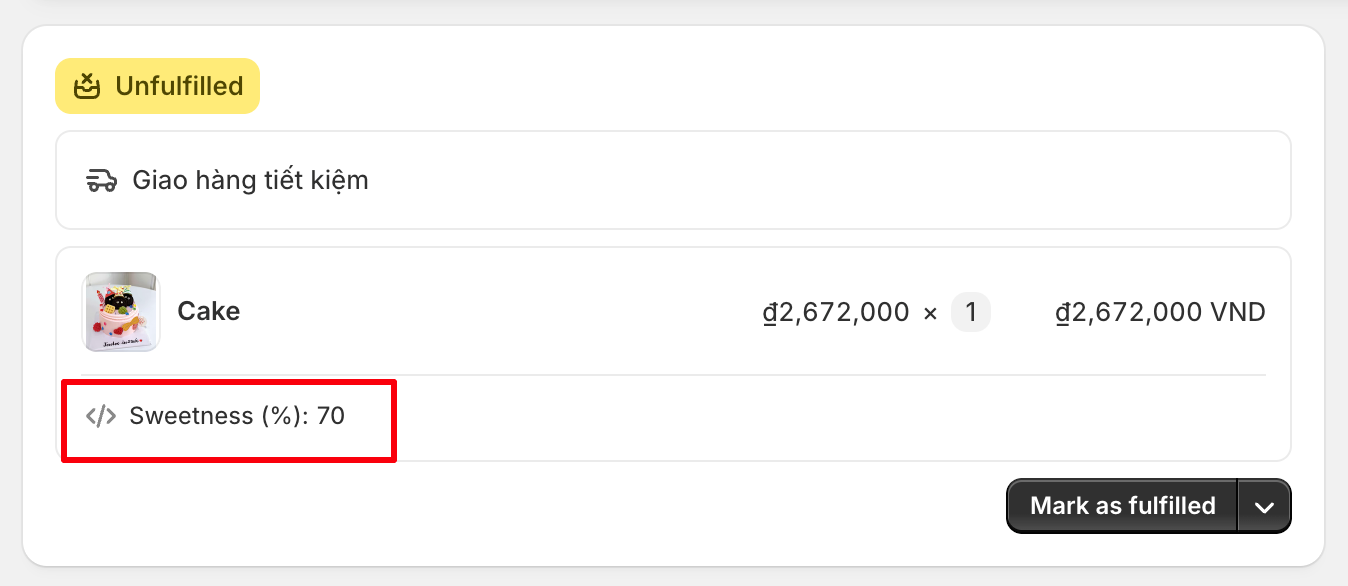
In Shopify Admin, the selected value is displayed in the order details together with other product customization information, allowing merchants to easily review customer selections.
Need Help?
We’re here for you!
Reach out to our support team directly from your EXPO dashboard we usually reply within a few hours. Or email us at [email protected] with your store link and a short description of what you need.
No question is too small – whether it’s your first time setting up an option or you just need a quick tip, we’re happy to help.