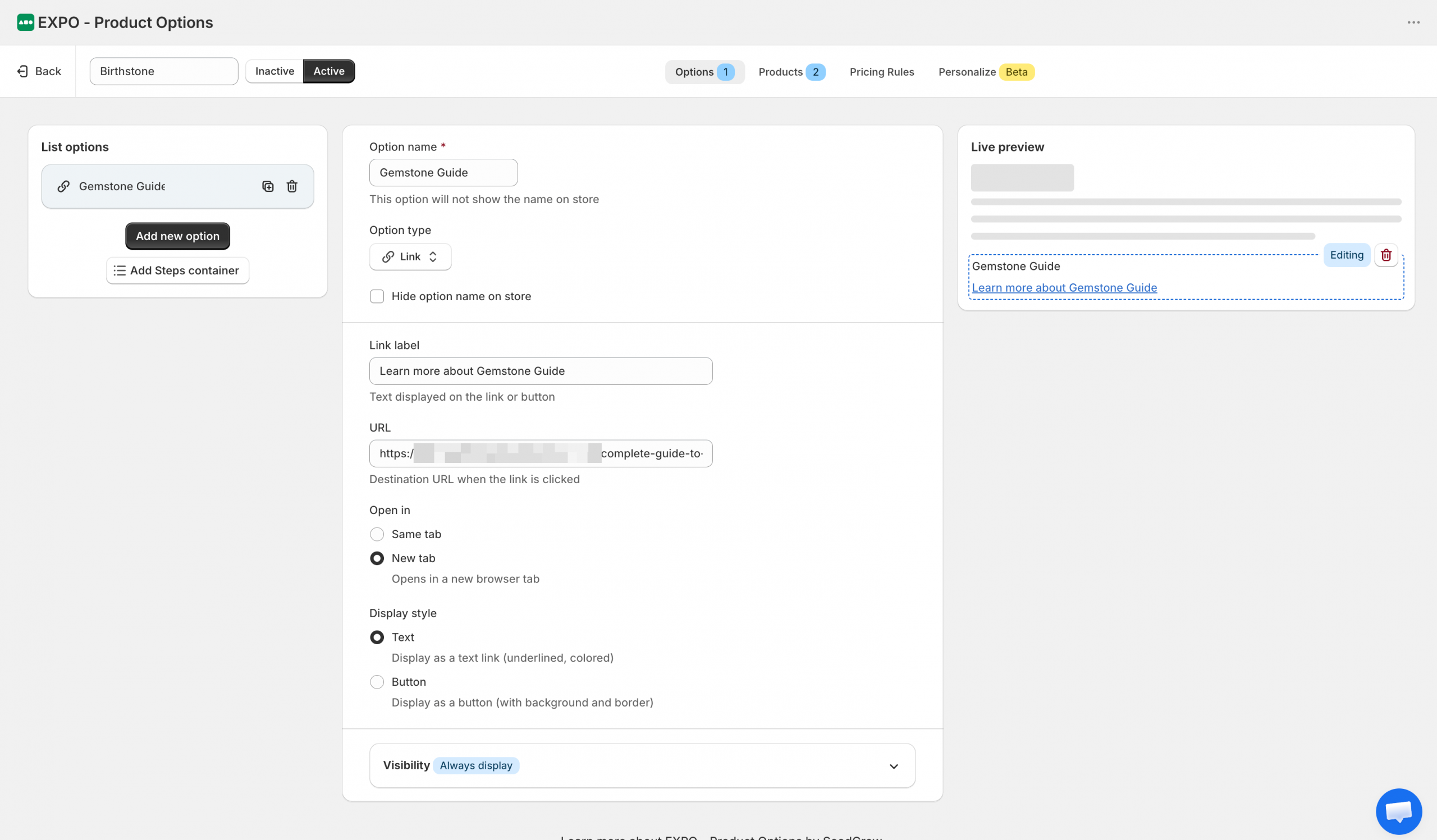
The Link option allows you to display a clickable link or button on the product page. Unlike other option types, it does not collect customer input or affect the product configuration. Instead, it provides shoppers with quick access to additional information, external resources, or related pages.
Basic settings
After adding a Link option to your option set, you can customize its label, destination, display style, and visibility settings.
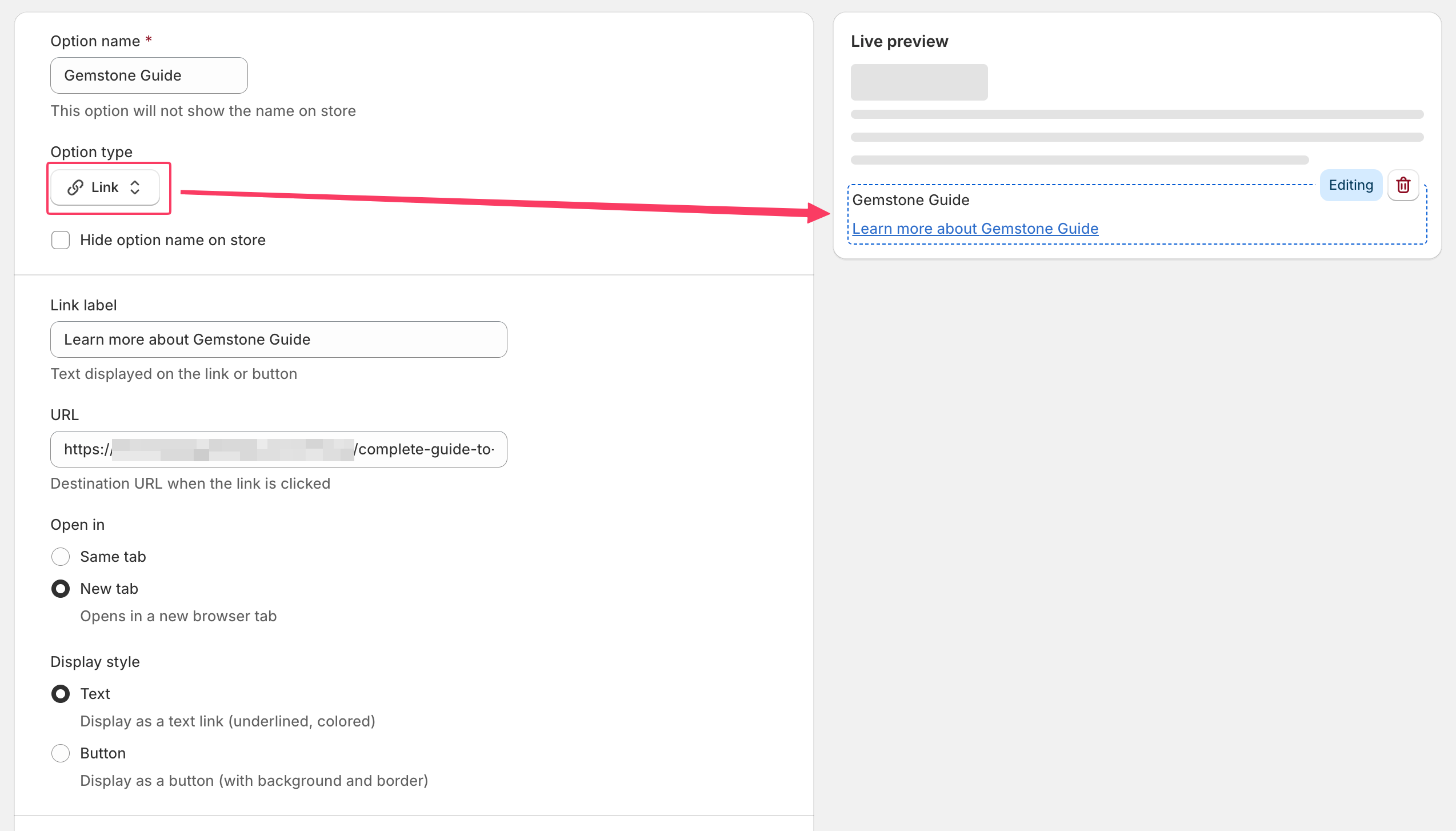
- Option name: The internal name of the option. By default, the option name is also displayed above the link.
- Hide option name on store: Hide the option label on the storefront while keeping the link or button visible.
- Link label: The text displayed for the link or button.
- URL: The destination URL opened when shoppers click the link.
- Open in: Choose how the destination page is opened.
- Same tab: Opens the link in the current browser tab.
- New tab: Opens the link in a new browser tab.
- Display style: Choose how the link is presented on the storefront.
- Text: Displays the link as underlined, clickable text.
- Button: Displays the link as a clickable button.
Visibility
Use visibility rules to control when this option is displayed.
You can show or hide the link based on other option selections or configured conditions.
Frontend display
On the storefront, the Link option is displayed as either a clickable text link or a button, depending on the selected display style.
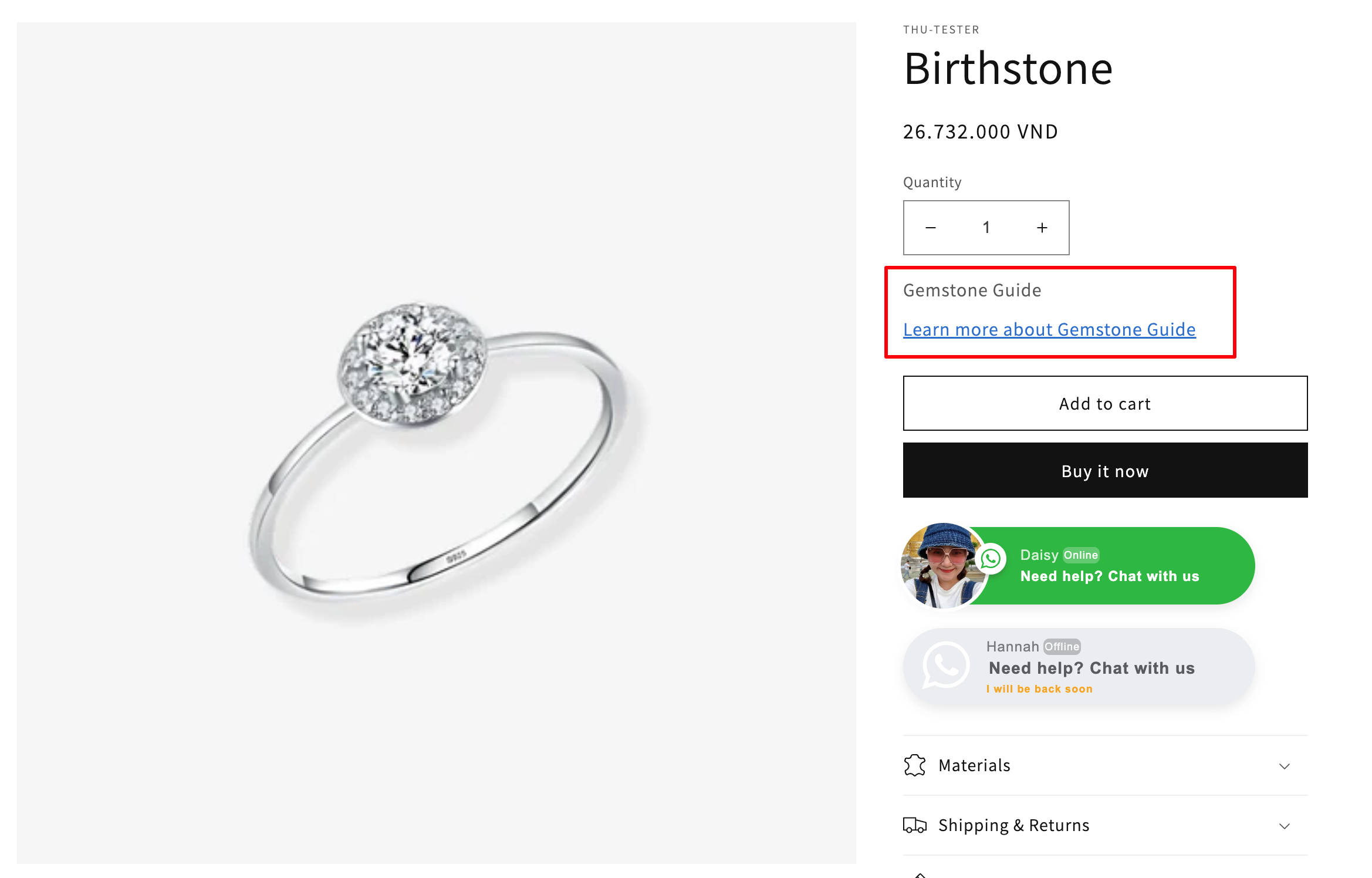
When clicked, shoppers are redirected to the configured URL in either the current tab or a new browser tab.
Need Help?
We’re here for you!
Reach out to our support team directly from your EXPO dashboard we usually reply within a few hours. Or email us at [email protected] with your store link and a short description of what you need.
No question is too small – whether it’s your first time setting up an option or you just need a quick tip, we’re happy to help.