
Do you want to create a WhatsApp link and share it with your friends? In this post, we will show you a step-by-step guide to creating a WhatsApp link.
A WhatsApp link makes it easy for people to start a chat with a specific phone number without saving the contact first. With a wa.me link, visitors can click, scan a QR code, or open WhatsApp Click to Chat and land in a conversation with a pre-filled message already waiting.
This guide shows you how to create a WhatsApp link manually or with a WhatsApp link generator, add a predefined message, and use QR codes on websites, flyers, and social profiles.
You will also see practical use cases for customer service, bookings, and lead generation with less effort.
First, let’s see what a WhatsApp link is and why you should use it.
Table of Contents
What is a WhatsApp Link (wa.me Link)
A WhatsApp link, also called a wa.me link, is a click-to-chat URL that opens a WhatsApp conversation with a specific phone number. When someone clicks the link, WhatsApp opens on mobile, desktop, or WhatsApp Web and starts a chat without adding the contact first.
You can create a wa.me link manually or with a WhatsApp link generator. The basic format uses your WhatsApp number in international format. You can also add a pre-filled message so visitors start chatting with a predefined inquiry.
This WhatsApp Click to Chat feature is useful for customer service, bookings, newsletters, landing pages, and social media profiles. Businesses often place the generated link on a website, flyer, or QR code so potential customers can get quick answers with less effort.
It works with a personal WhatsApp account or a WhatsApp Business account and can be shortened with a tool like Bitly.
Best WhatsApp QR Code and Link Generators
Before going further, let’s see some of the best WhatsApp QR code and link generators you can use:
All the platforms come with great features, and it is easy to get an invitation link or the WhatsApp QR code. From the list, we will be using Walink to create a link you can share with friends and Darwin AI to create a QR code invitation.
How to Create a WhatsApp Link with Pre-filled Message
Go to Walink. If you scroll down, you can see the options to enter the phone number and the custom message.
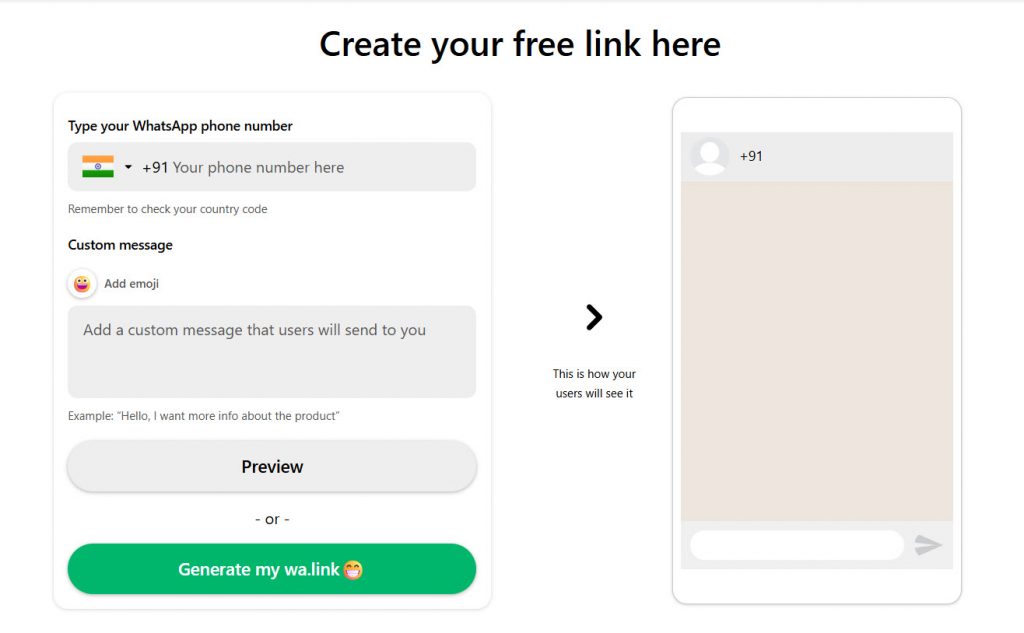
You have to choose your country code, enter the mobile number, and finally the message. The best thing about Walink is that it shows a preview on the right-hand side.
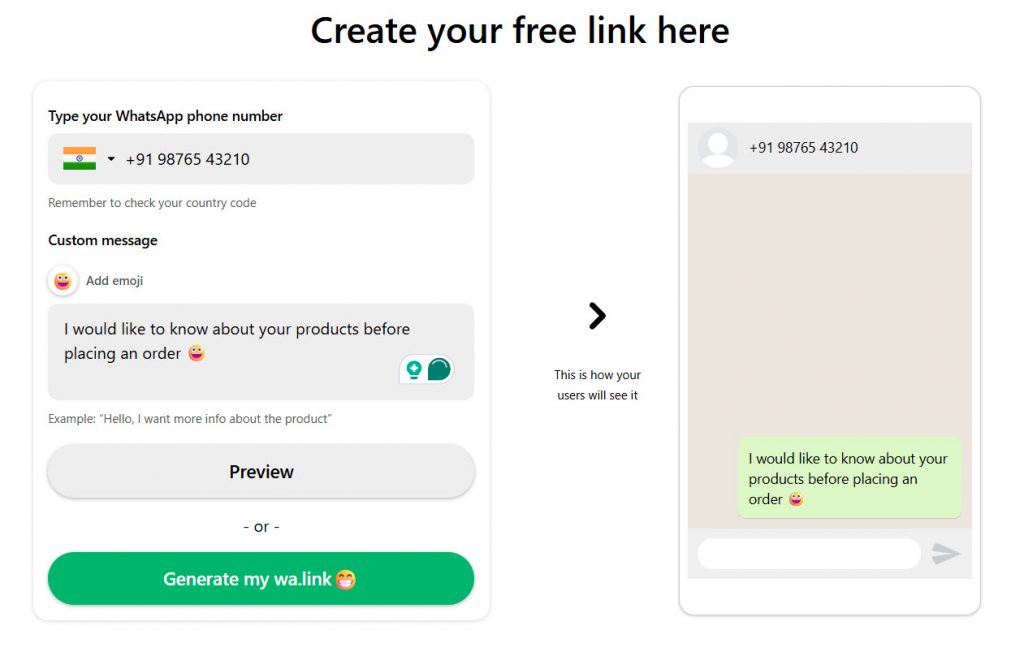
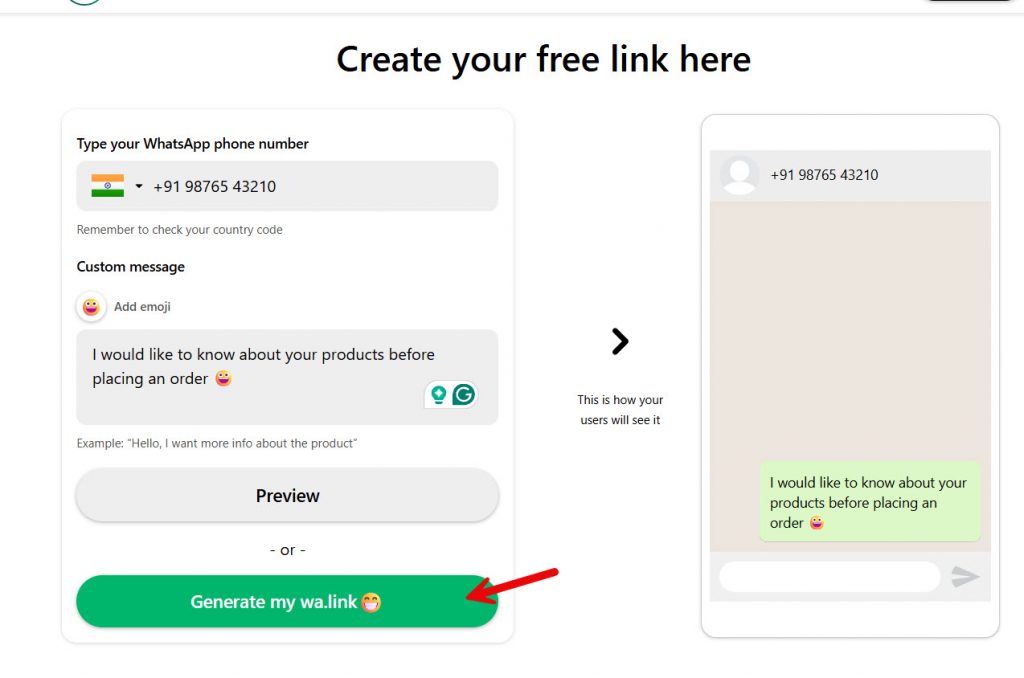
If everything looks good, you can click the generate button.
Now the website will show you a custom Walink with a QR code.
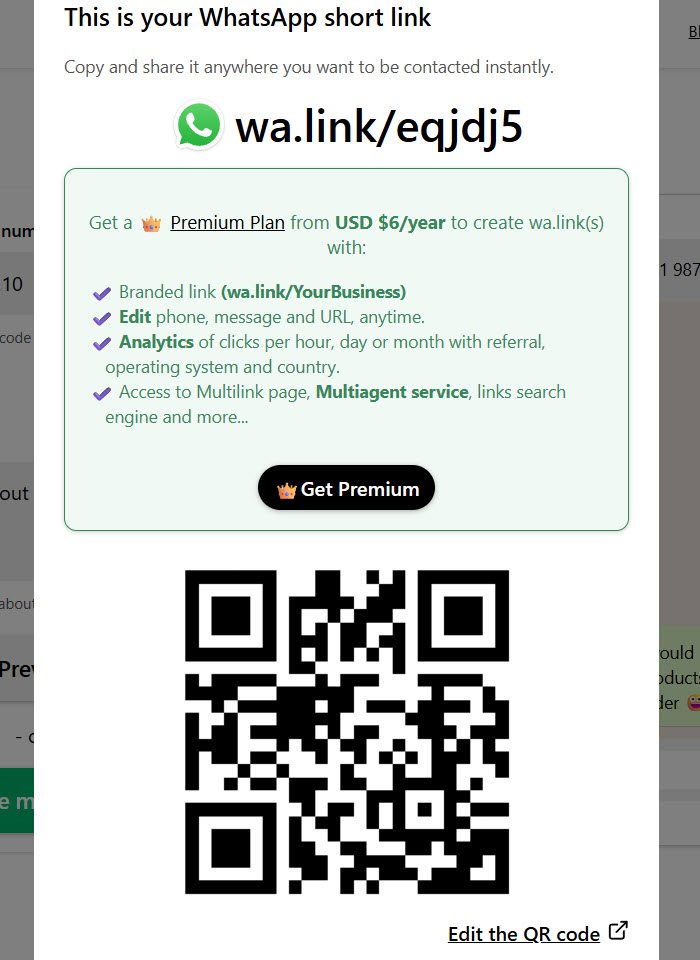
Next, we will see how to create a WhatsApp QR with a pre-filled message. You can copy the link and share it with your friends or family.
You can also use the QR code image so people can get in touch with you.
How to Create a WhatsApp QR with Pre-filled Message
Now, if you are looking for a dedicated WhatsApp QR code generator with a pre-filled message, check out this section.
We are going to use Darwin AI. On the page, you can see fields for entering your name and message. Please ensure you have entered the country code; otherwise, it won’t work.
Once you have entered the number and message, you can see the QR code generated on the right-hand side.
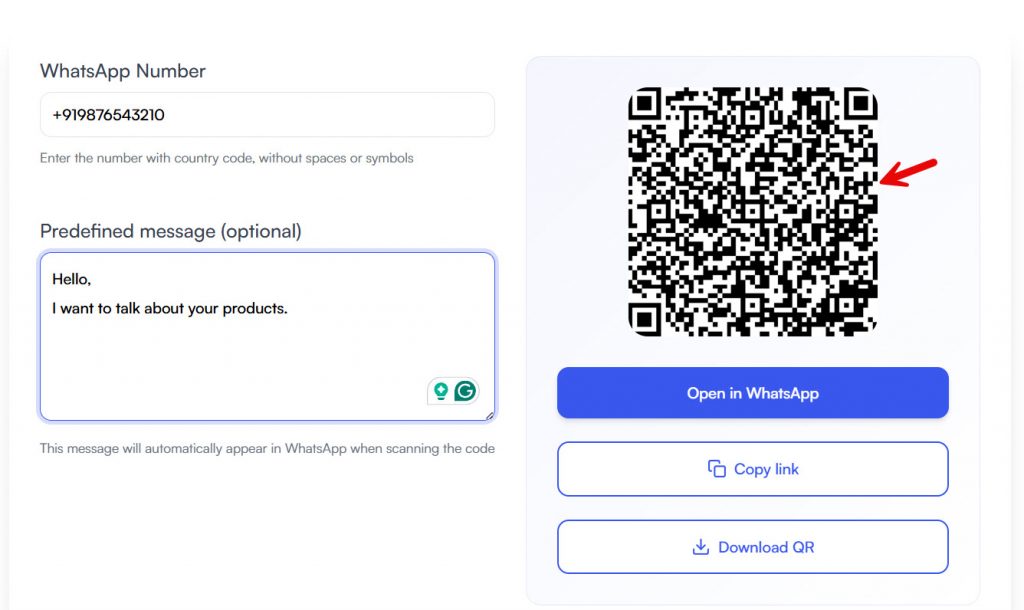
The QR code will update in real time as you tweak the message. You can download the QR code and send it to your customers or embed it on your website.
Once someone scans the QR code on their device, they will be redirected to WhatsApp, and your personal chat with the pre-filled message will open. As you can see, this is one of the easiest ways to integrate WhatsApp into your website.
That’s it!
This is how you can create a WhatsApp QR code with a pre-filled message.
Frequently Asked Questions
Now, let’s take a look at some frequently asked questions about this topic.
How do I create a wa.me link?
Use this format: https://wa.me/PHONENUMBER. Add the number in international format without plus signs or spaces. You can also add a pre-filled message so visitors start a WhatsApp chat without typing from scratch.
What is WhatsApp Click to Chat?
WhatsApp Click to Chat is a feature that opens a conversation when someone clicks on the link. It works in a browser, on mobile, and on desktop. The visitor does not need to save the contact first.
Do I need to create a chat link for a WhatsApp Business account?
Yes, if you want customers to reach you faster. A WhatsApp Click to Chat link works with both a personal account and the WhatsApp Business app. Place the link on your website, social profiles, or a widget to make customer service easier.
Can I use a WhatsApp link generator instead of doing it manually?
Yes. A WhatsApp link generator is an easy way to generate URLs, add a message, and create multiple links for different campaigns. You can also shorten the generated link using a tool like Bitly.
How do I add a WhatsApp number to a click-to-chat link?
Enter the full WhatsApp number, including the country code, with no extra symbols. Example: https://wa.me/15551234567. If the number is wrong, the WhatsApp app will not open the correct chat.
Can I add a message to a WhatsApp Click to Chat link?
Yes. Add ?text= followed by your message. This lets you tailor the first inquiry, personalize the conversation, and help visitors start chatting with less effort.
What are the best use cases for a WhatsApp chat link?
Common use cases include customer support, bookings, lead generation, newsletters, and product inquiries. Businesses also use QR codes so people can scan and continue the conversation on the popular messenger app.
Can I automate replies after someone clicks the chat link?
You can use approved WhatsApp tools and API options to automate follow-ups. Keep automation responsible and focused on people you trust or on customers who have already chosen to start a conversation.
Should I put a QR code directly on print materials?
Yes. A QR code is useful on flyers, posters, and packaging. When scanned, it opens the same WhatsApp Click to Chat feature and directs the visitor to the correct chat.
Can I use multiple links for customer service campaigns?
Yes. Create separate links for sales, support, and loyalty campaigns. This helps you track where clicks come from and send each visitor to the right WhatsApp chat.
Conclusion
A WhatsApp link is one of the simplest ways to help people start a conversation with your number. A wa.me link works on mobile, desktop, and WhatsApp Web, and it can include a pre-filled message so visitors do not have to type from scratch.
You can create it manually or with a WhatsApp link generator, then place it on your website, social profiles, newsletters, or a QR code. This setup is useful for customer service, bookings, and lead generation because it reduces extra steps.
Keep the number in international format, test the link before sharing it, and use separate links for different campaigns when needed.
Once the chat opens, reply quickly and keep the conversation clear so the click turns into a useful inquiry.
You can also check our blog archive to learn more posts.
