The Bulk add feature allows you to create multiple option values at once instead of adding them individually. This is especially useful when your option contains a large number of values.
Supported option types
Bulk add is available for all option types that support Option values, including:
- Choice List
- Checkbox
- Dropdown
- Button
- Button Multiple
- Font Picker
- Swatches
- Swatches Multiple
How to use
- Open an option that supports Option values.
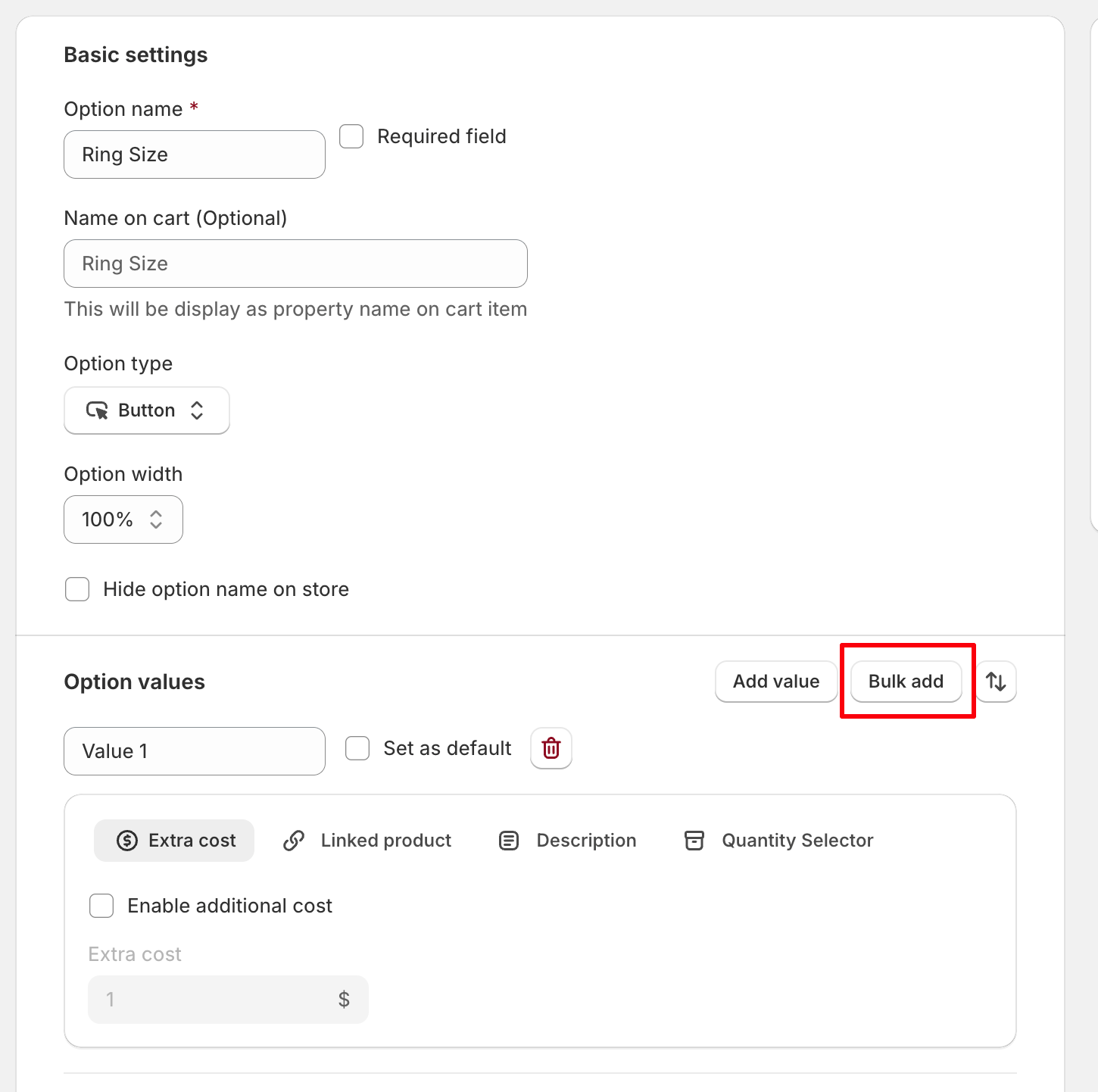
- In the Option values section, click Bulk add.
- Enter one value per line. Format: Value name|price
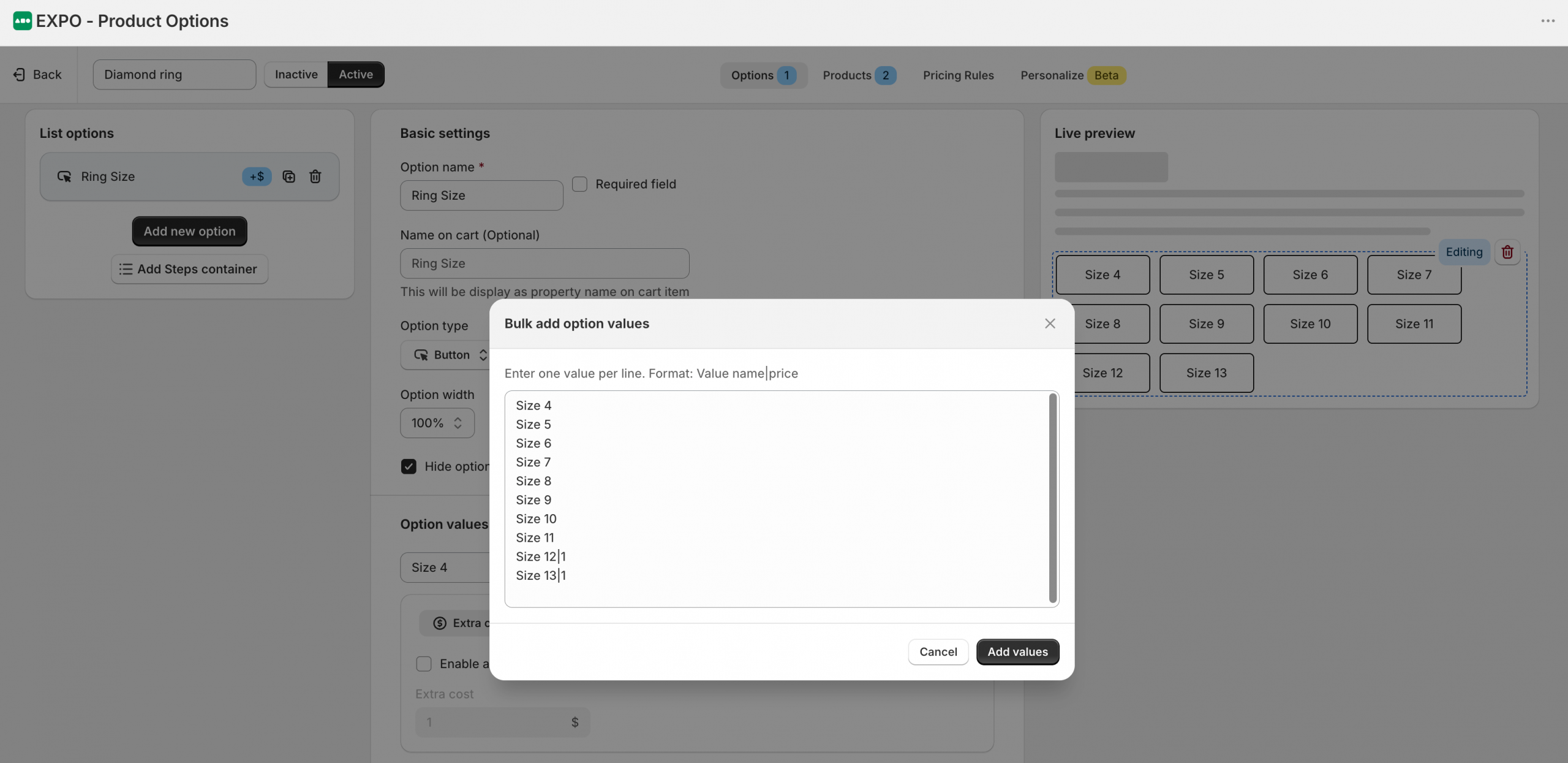
- Click Add values to create all values at once.
After clicking Add values, all option values entered in the Bulk add dialog are added to the option values list, as shown below.
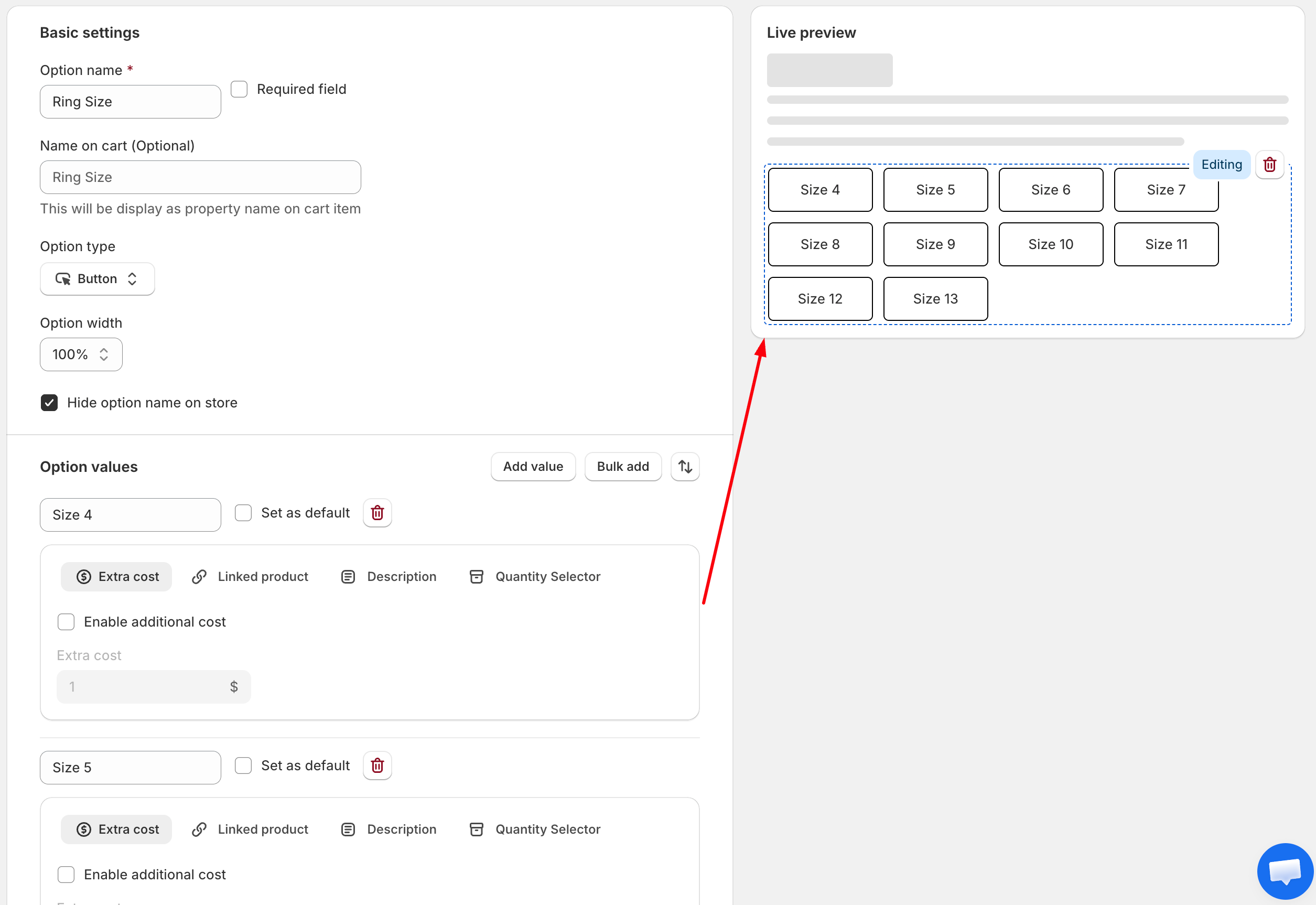
You can then customize each value individually by reordering option values, setting a default value, adding an extra cost, linking a product, adding a description, configuring a quantity selector, and other available settings.
Need Help?
We’re here for you!
Reach out to our support team directly from your EXPO dashboard we usually reply within a few hours. Or email us at [email protected] with your store link and a short description of what you need.
No question is too small – whether it’s your first time setting up an option or you just need a quick tip, we’re happy to help.