The Searchable Dropdown feature adds a search box to supported dropdown-based option types, allowing shoppers to quickly find and filter option values. This is especially useful when an option contains a large number of values, improving usability and making it easier for customers to find what they need.
Supported option types
This feature is available for dropdown-based option types, including:
- Dropdown
- Font Picker
How to enable
- Open a supported option type.
- Navigate to Optional settings → Advanced settings.
- Enable Enable search in dropdown.
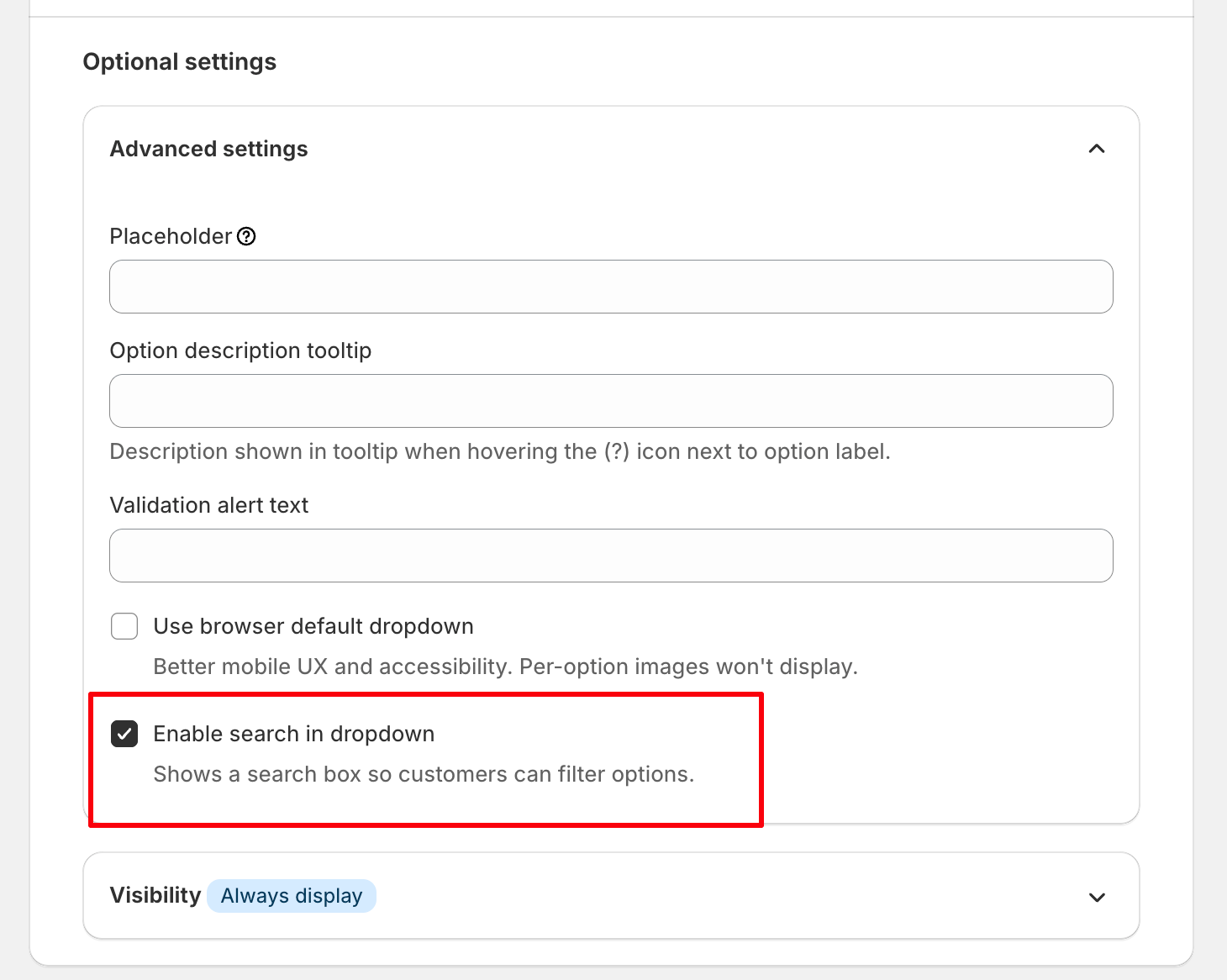
- Save your changes.
How it works
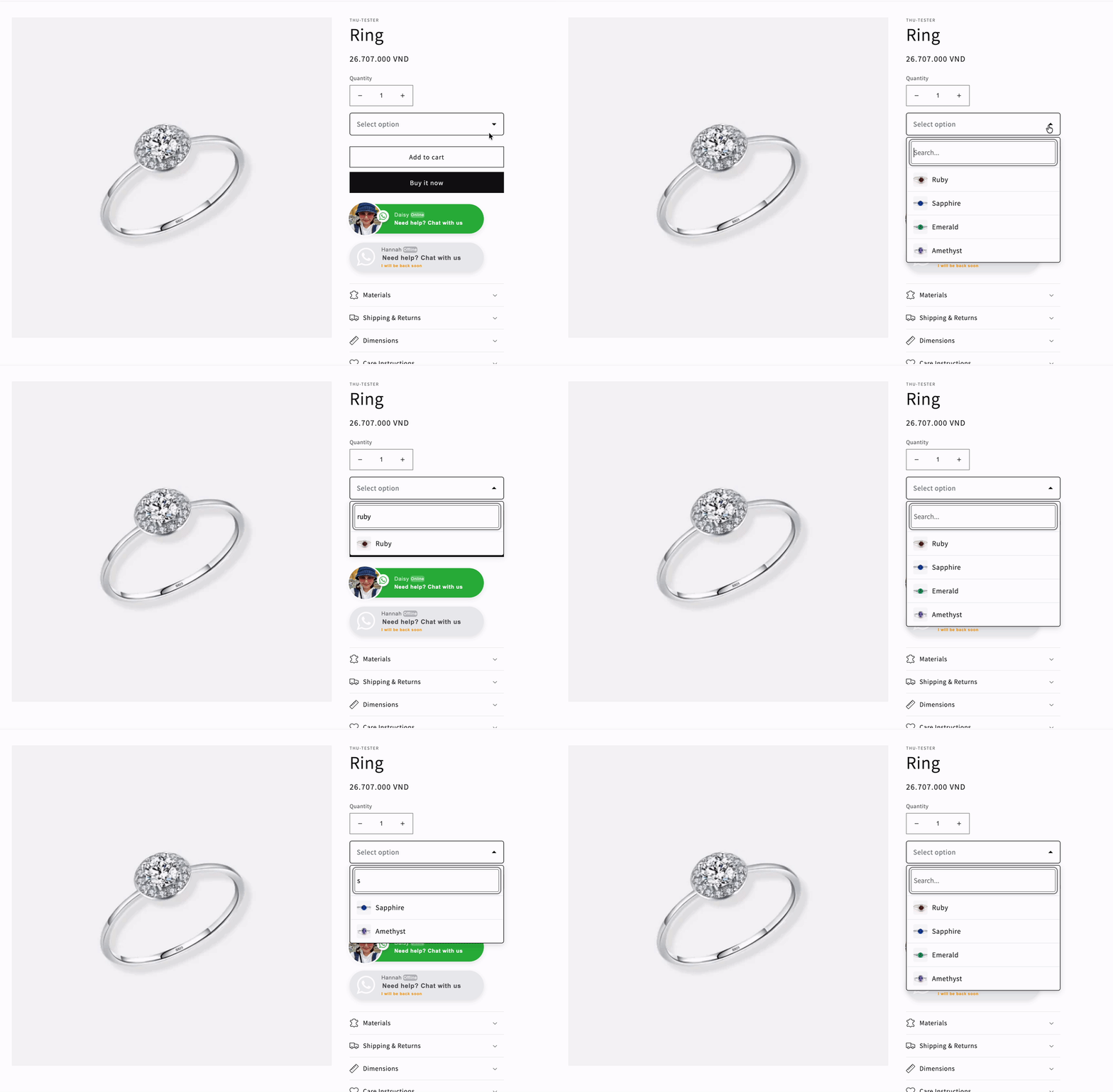
When enabled, a search box is displayed at the top of the dropdown list.
As shoppers type, the available option values are filtered in real time, making it easier to locate the desired value without scrolling through the entire list.
If disabled, the dropdown behaves as a standard selectable list without a search field.
Need Help?
We’re here for you!
Reach out to our support team directly from your EXPO dashboard we usually reply within a few hours. Or email us at [email protected] with your store link and a short description of what you need.
No question is too small – whether it’s your first time setting up an option or you just need a quick tip, we’re happy to help.