The Replace product image with option image feature automatically updates the main product image when a shopper selects an option value that has an associated image. This creates a more interactive shopping experience by allowing customers to preview the selected option without leaving the product page.
Supported option types
This feature is available for option types that support Value images, including:
- Choice List
- Checkbox
- Swatches
- Swatches Multiple
How to enable
- Open an option that supports Value images.
- Upload an image for one or more option values.
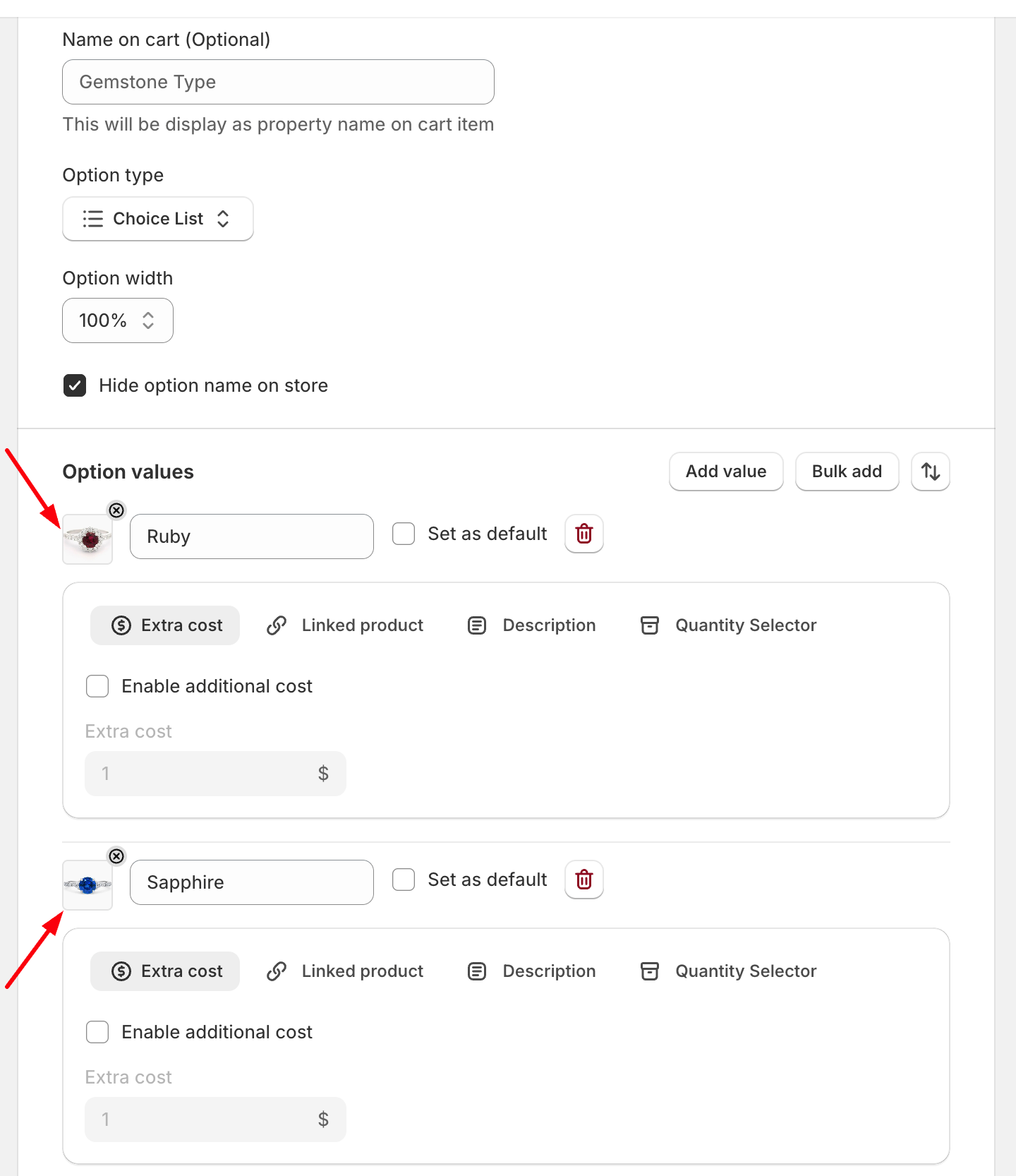
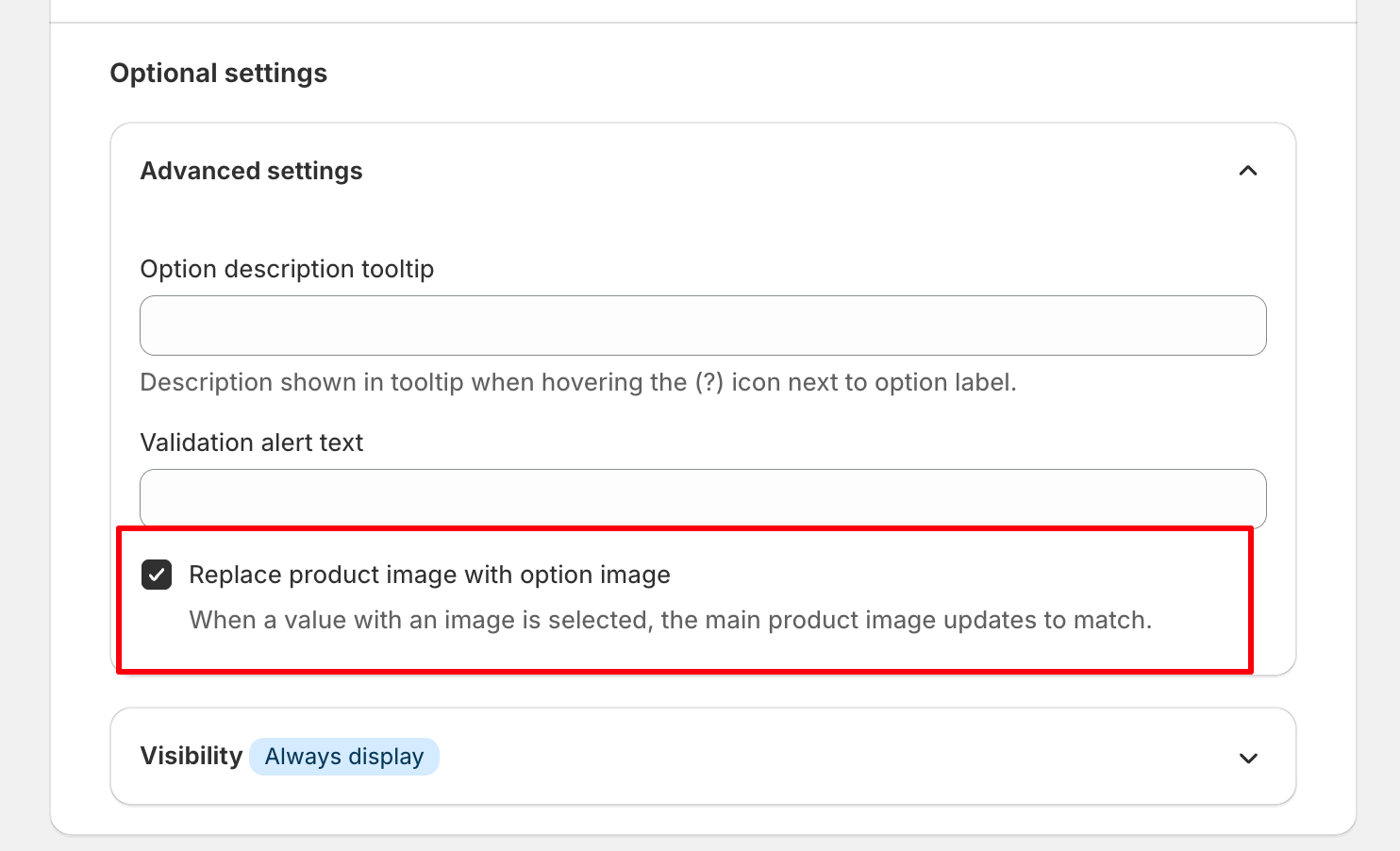
- In Optional settings → Advanced settings, enable Replace product image with option image.
- Save your changes.
How it works
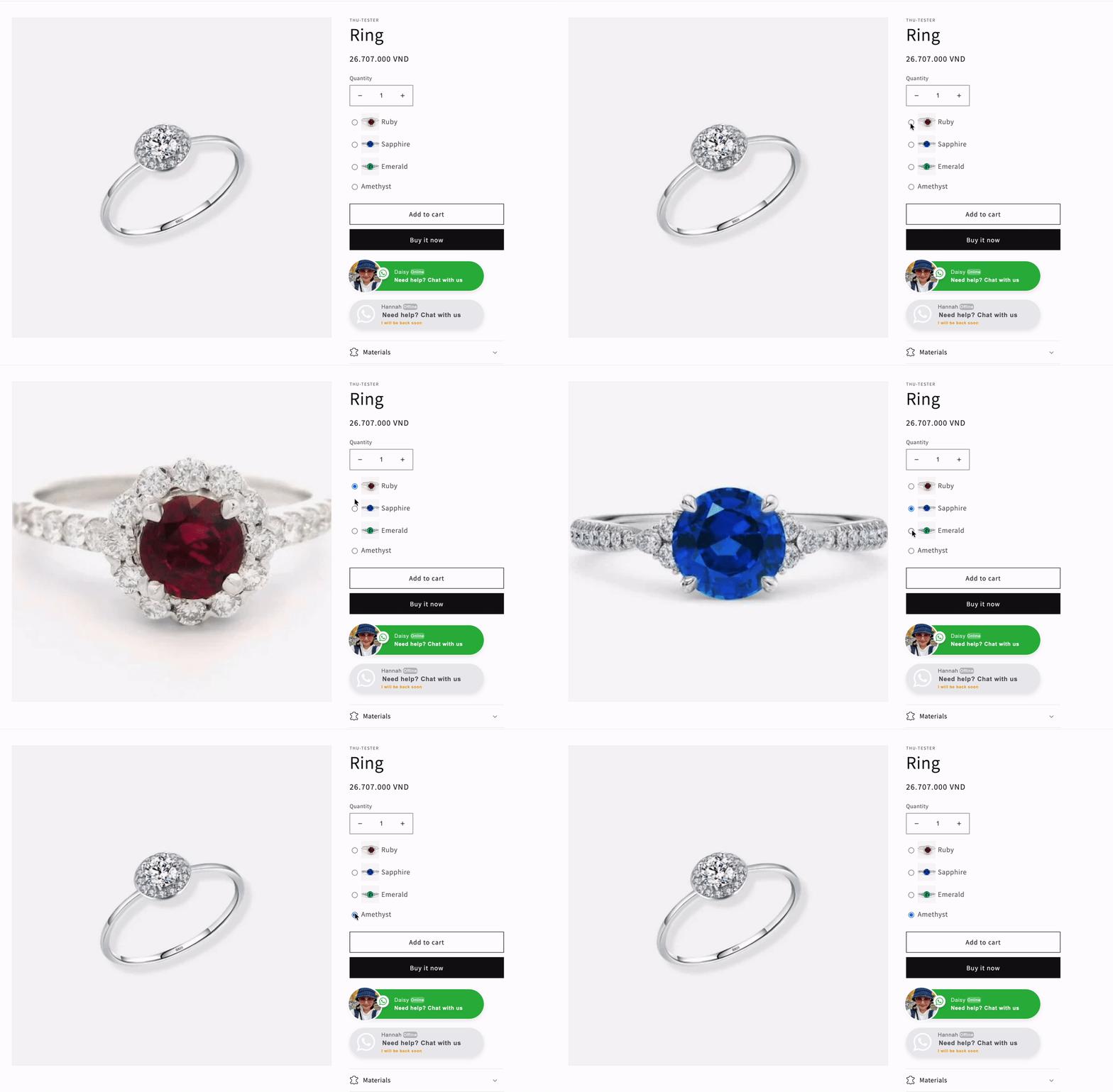
When the feature is enabled:
- Selecting an option value automatically replaces the main product image with the image assigned to that value.
- Selecting a different value updates the product image accordingly.
- If an option value does not have an assigned image, the original product image remains unchanged.
Need Help?
We’re here for you!
Reach out to our support team directly from your EXPO dashboard we usually reply within a few hours. Or email us at [email protected] with your store link and a short description of what you need.
No question is too small – whether it’s your first time setting up an option or you just need a quick tip, we’re happy to help.