The Link Products to Options feature allows Shopify store owners to attach related products to specific option values.
Instead of showing generic recommendations, you can now upsell or cross-sell the right product at the exact moment a customer makes a choice, directly inside the option experience.
This feature helps increase average order value while keeping the buying flow smooth and relevant.
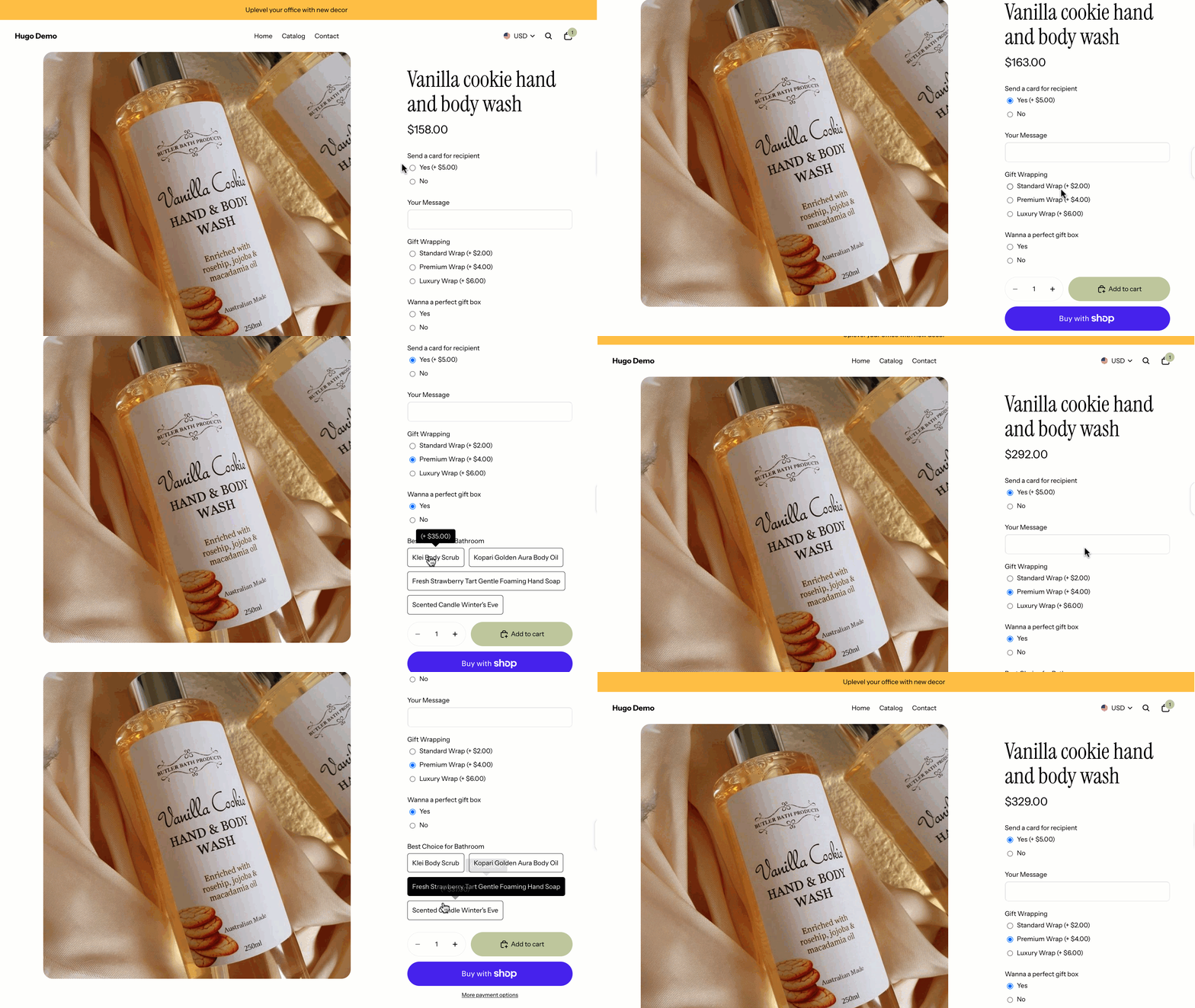
For example, we wanna sell a kit for the body as a gift box. Using Link Products to Options, you can link to other body care items.
Let’s configure it!
On your option dashboard, create a new “Button Multiple” option. For each option value, name it after a product and link to it. Also, set the price for this value.
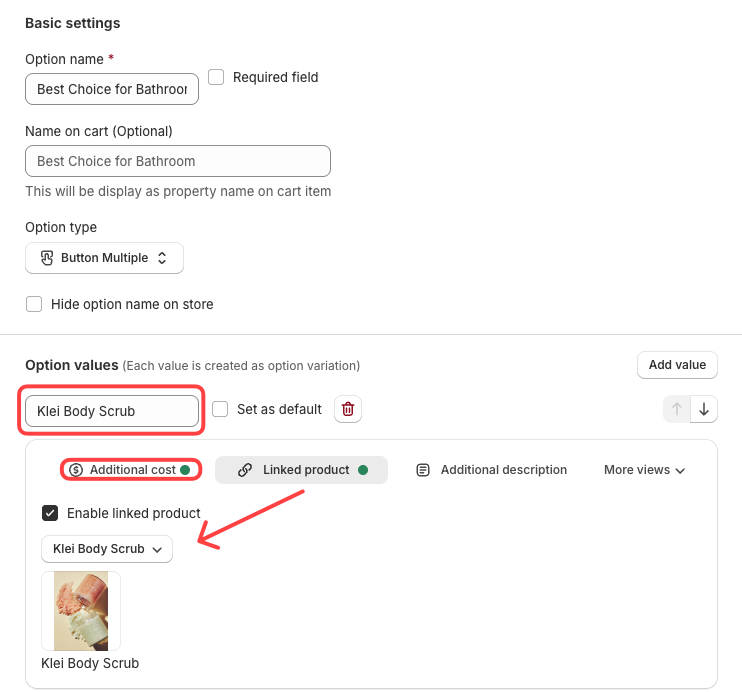
Save the settings and repeat this for other option values if needed.
Note: What happens when an order is placed? The linked product is treated as a real Shopify product. This means that when the order is completed, the linked product is added to the cart and its inventory quantity is reduced accordingly.