The Pricing Rule feature in EXPO gives Shopify store owners full control over how product options affect pricing.
With this feature, you can increase or decrease the product price automatically based on the options your customers select – no manual edits, no confusing workarounds.
Whether you’re offering premium upgrades, discounts for simpler choices, or flexible custom pricing, Pricing Rules help your store price products more intelligently.
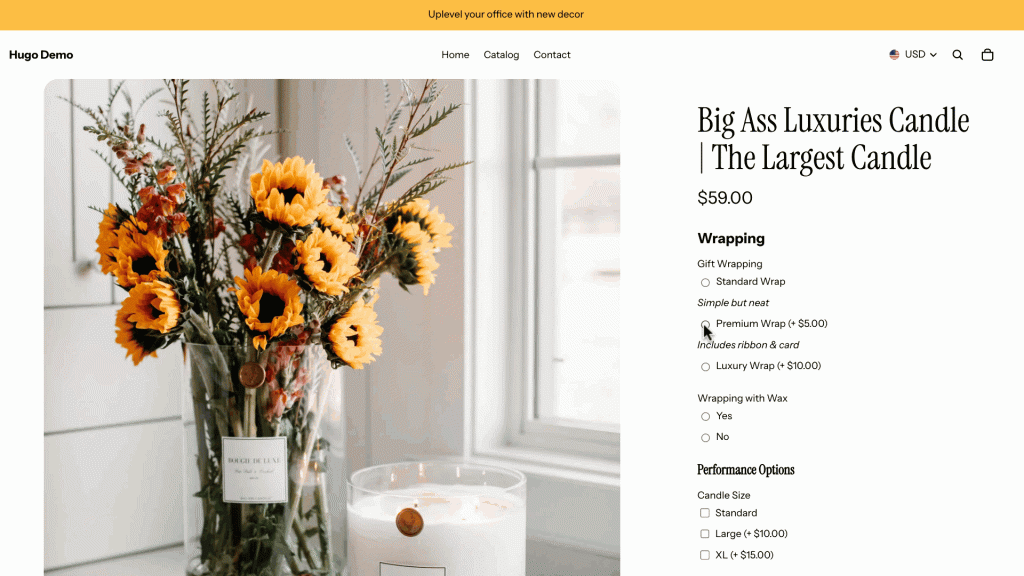
EXPO supports two main pricing adjustment types:
- Fixed Amount: Add or subtract a specific amount from the product price.
- Percentage-Based: Increase or decrease the price by a percentage of the base product price.
For example, we create a pricing rule like Increase price by 5% for “Luxury Wrapping for Large Size”.
Follow these simple steps to set up your first pricing rule:
On your Shopify dashboard, head over to EXPO > Option Sets.
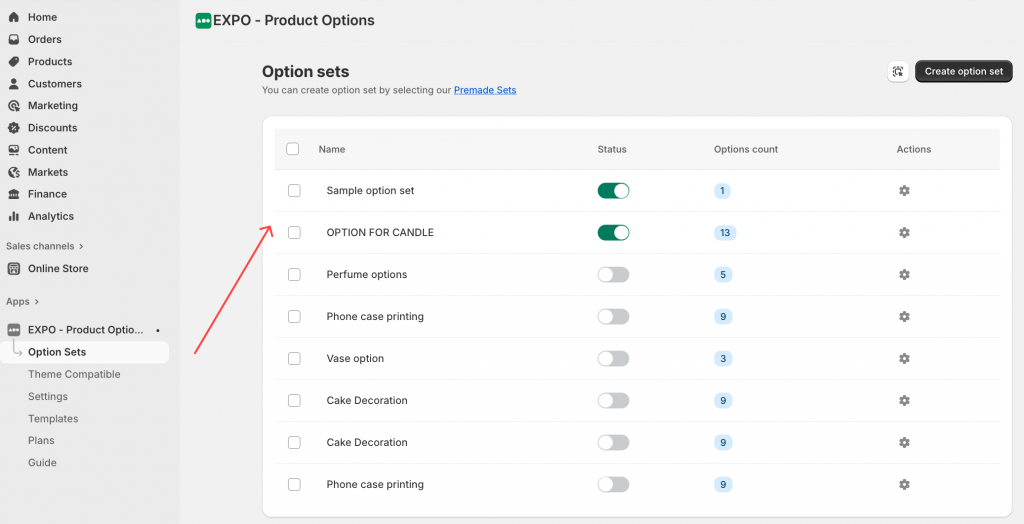
Choose the option set where you want to apply pricing rules. You can choose from the existing ones or create a new one. Then, turn on Pricing Rule for the option or specific option values.
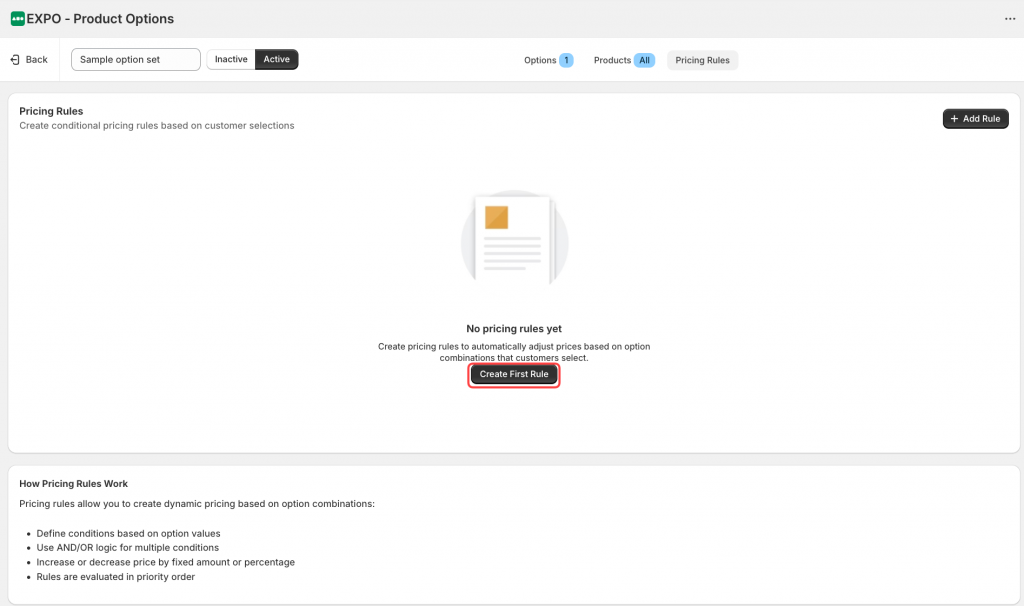
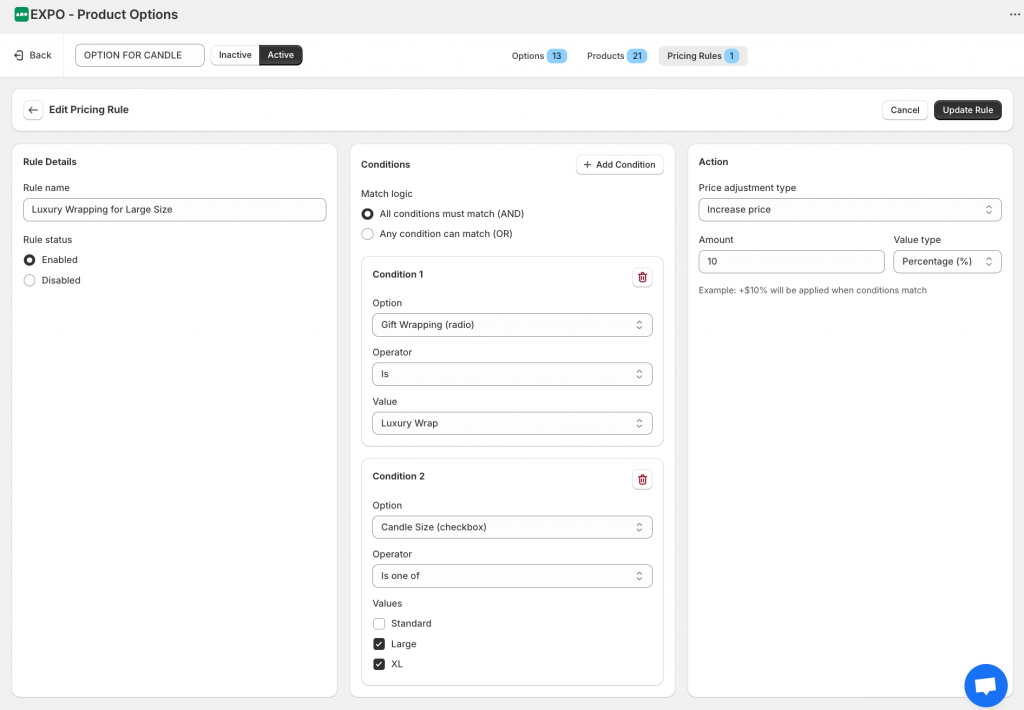
In here, you can configure the Price Adjustment:
- Name for the rule
- Set the conditional logic
- Choose whether to increase or decrease, and then select Fixed amount or Percentage for the value. This way, you can set your preferences just the way you want!
Save your settings and preview the product on the storefront.
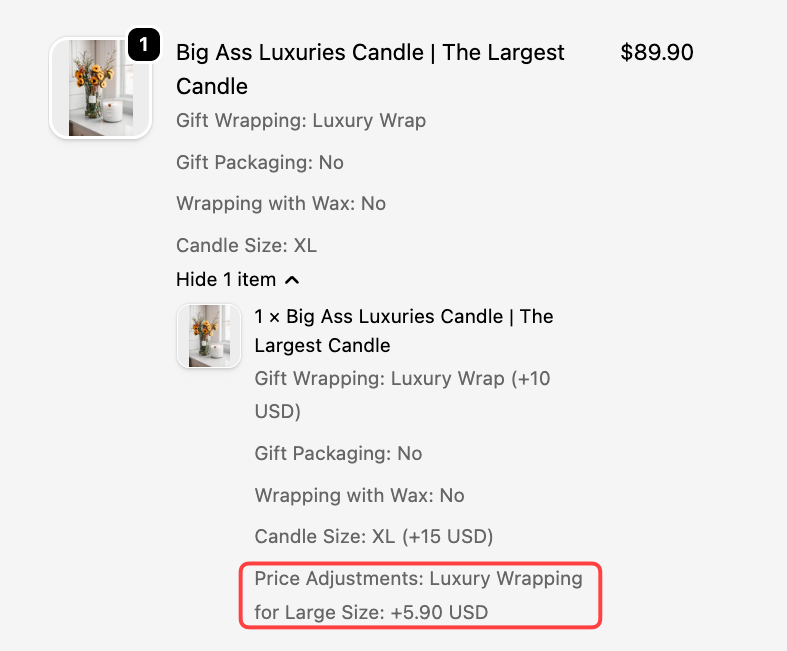
The Pricing Rule feature is designed to be flexible, intuitive, and powerful, whether you’re running a simple store or offering complex product customizations.