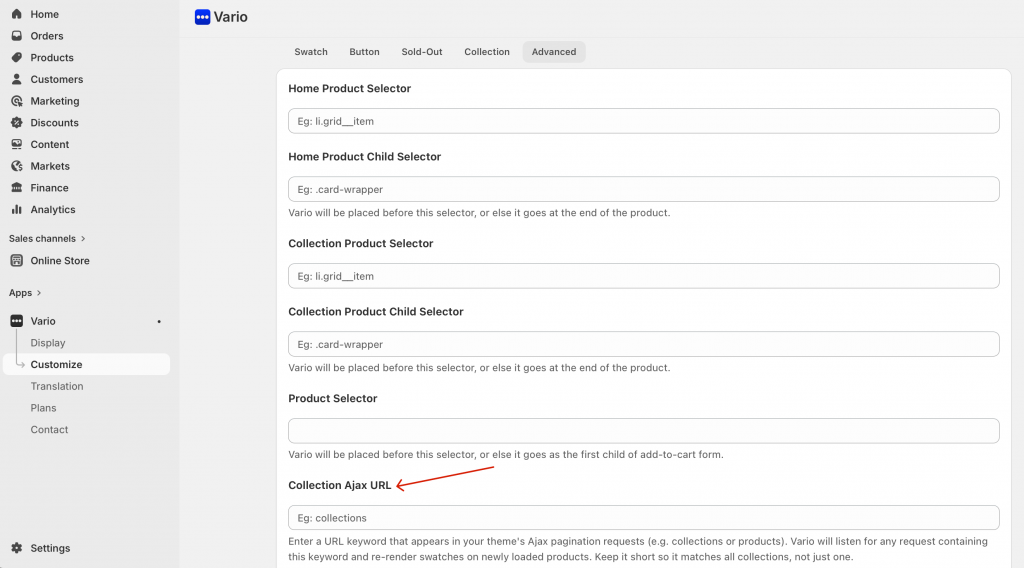
Now, Vario supports displaying product variants directly on collection page using AJAX for a seamless, dynamic experience.
Firstly, you need to inspect the newly loaded page in Chrome and go to the Network tab to identify the URL that is triggered when clicking the pagination button.
Ex: http://your-store.myshopify.com/collections/all
In this case, the keyword is “collections.” It may feel a bit confusing at first, but once you identify the correct keyword, it becomes straightforward.
Next, go to the Vario Customize settings and add the corresponding collection or product URL keyword to ensure it works properly, as shown below: