Here is how to update the WhatsApp Click to Chat Shopify App by SeedGrow from free to Paid plan:
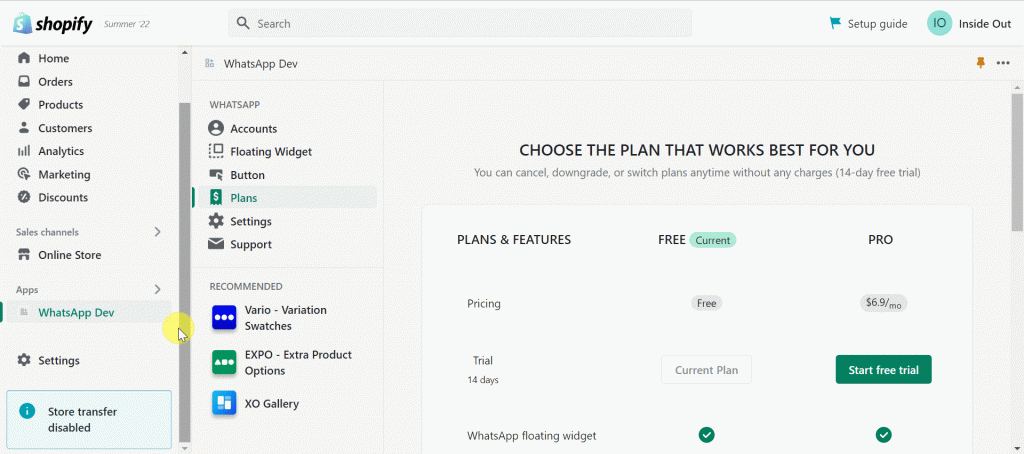
- First, you need to login to your Shopify store dashboard, go to Apps > WhatsApp Chat Widget > Plans
- Then, click on Choose plan which is next to the PRO plan option. choose your payment method and click on Approve.
Note:
All your currently active accounts and settings from the free version would be preserved.