How to uninstall WhatsApp Chat Widget
App uninstallation takes 2 steps:
1. Deactivate
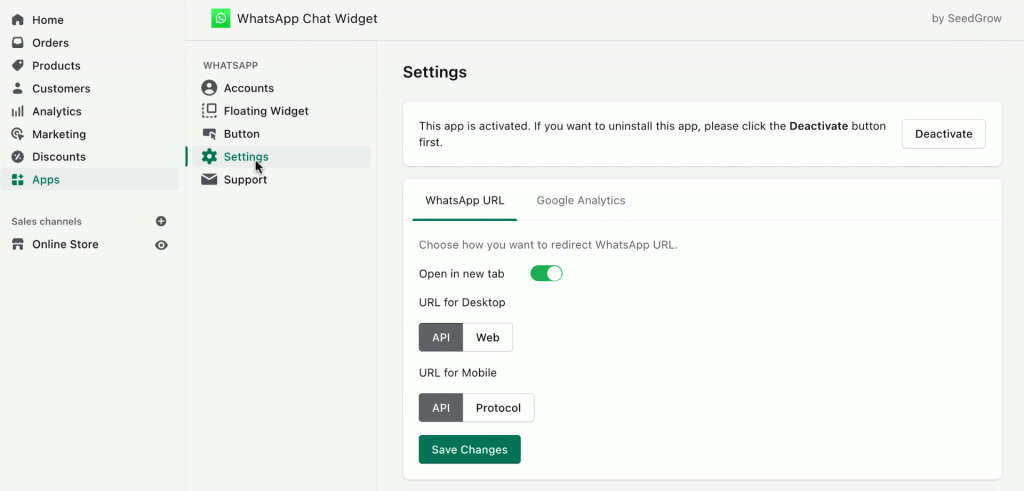
Go to app settings > click Deactivate to remove the app scripts from your store.
2. Delete app
Navigate to apps and delete the app.
Please leave your reason for deleting. If you want to suggest new features, feel free to do so. Alternatively, you can reach out to us at [email protected]
How to manually remove the app script
If you have accidentally deleted it without deactivating, please try to follow these simple steps:
- Add app again,
- Deactivate,
- Delete it. This will remove all the app settings.
Alternatively, if you are familiar with coding languages, you can also manually remove these scripts by following these steps:
- Edit theme code
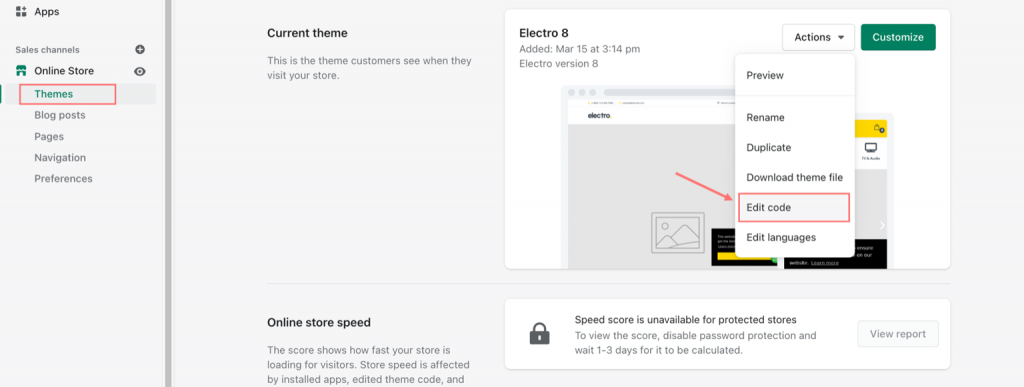
From your Shopify admin, go to Themes > Current theme > Actions > Edit code.
2. Open theme.liquid
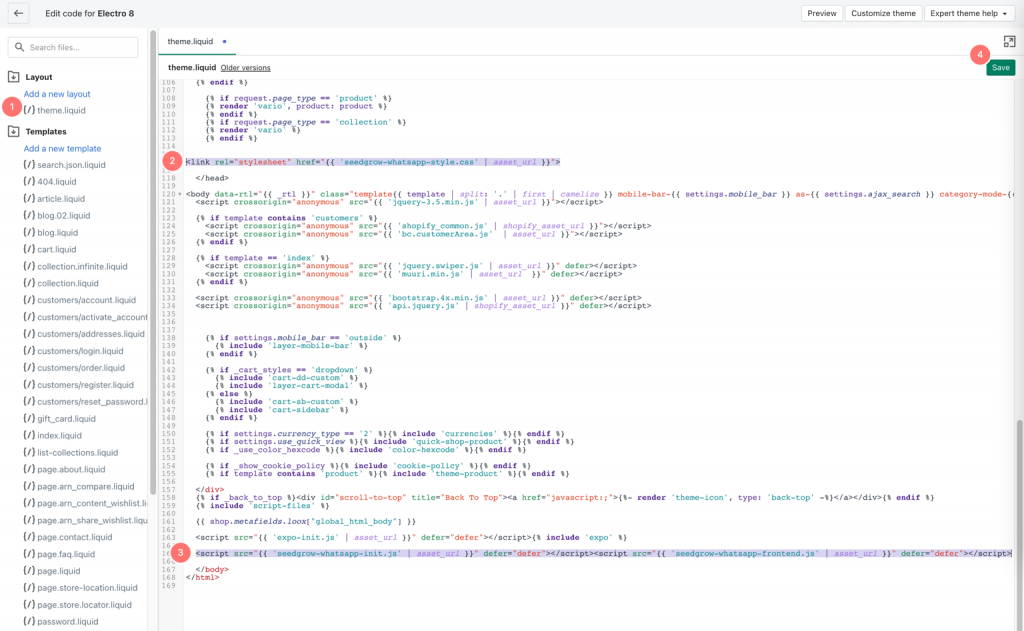
You will then enter the whole theme source code. From the left directory, click on theme.liquid to open this code file.
3. Delete the scripts
In the code editor, navigate to right before the closing </head> and </body> tags to find these scripts:
4. Save changes
Click Save to finish the script removal.
Be sure not to delete anything else other than these two scripts.