Vintage Themes
Vintage themes include earlier theme versions which didn’t come with app embeds. If you’re not sure your theme is vintage or 2.0, please feel free to contact us.
1. Add member(s)
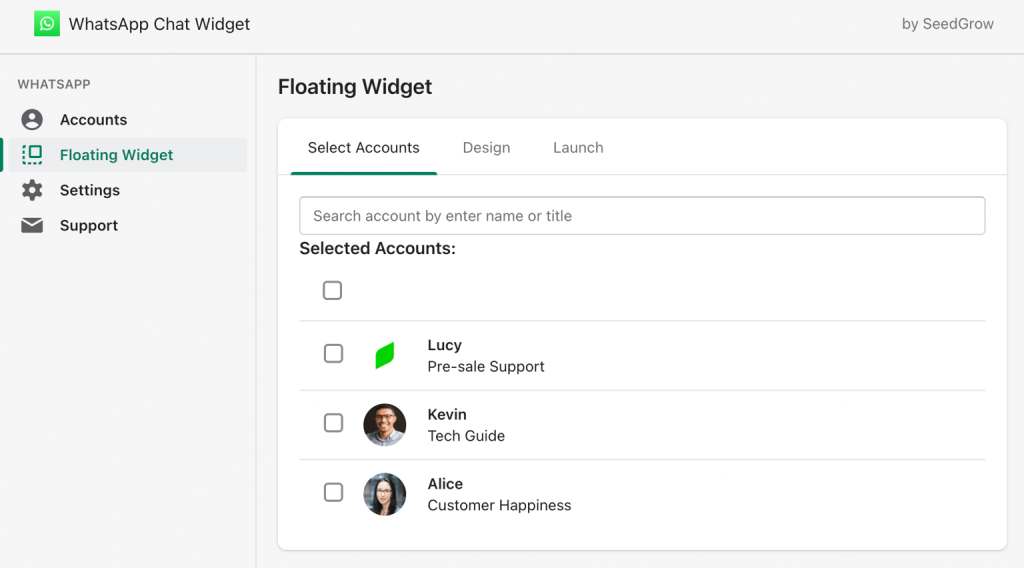
Make sure you have created at least one WhatsApp agent in the previous step. Then, head over to Floating Widget to select only the ones you want to display in the WhatsApp widget.
2. Edit content and customize design
This app allows you to design your floating widget while seeing its outcome in real life.
In Design tab, you can easily customize all options to fit your brand and marketing campaigns.
Built-in options include:
- Greetings
- Conversation starter
- Typically response time
- Away message
- Office hours
- More useful resources like announcements, custom phone number, or email while you’re away
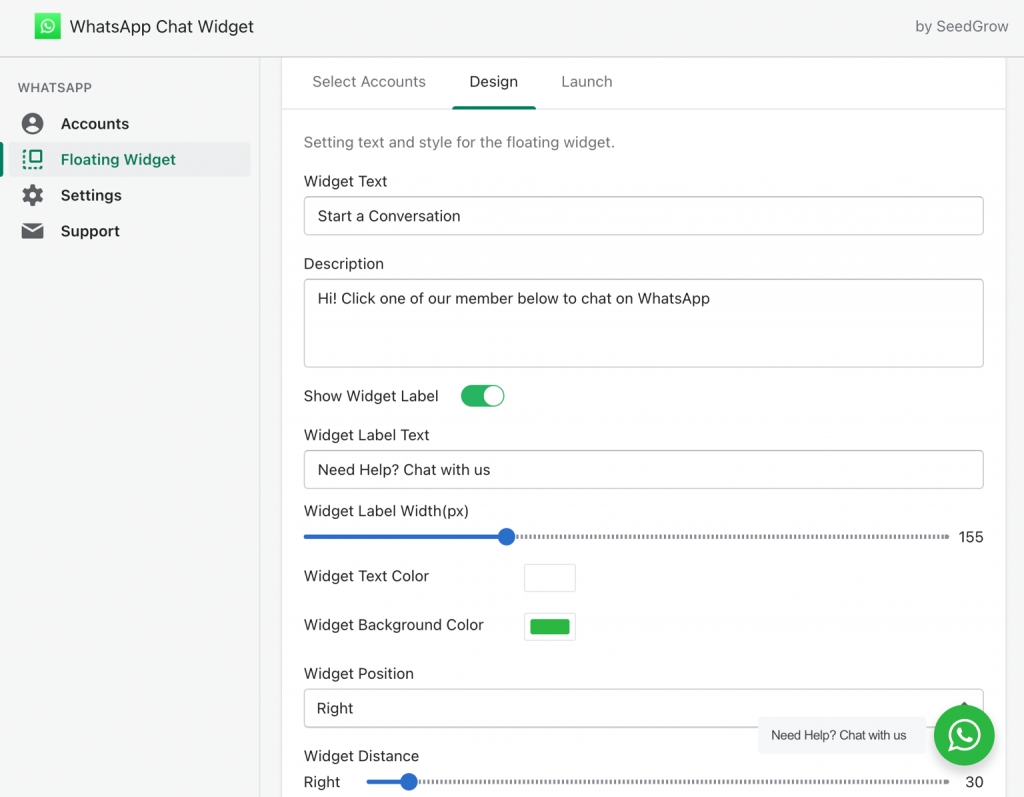
It’s also simple to customize design without having to touch a single line of code. As this panel comes with all the design options you need:
- Text/background color
- Spacing
- Position
3. Add more text and GDPR consent notice (optional)
You can also add a little checkbox to indicate GDPR consent including your privacy policy link.
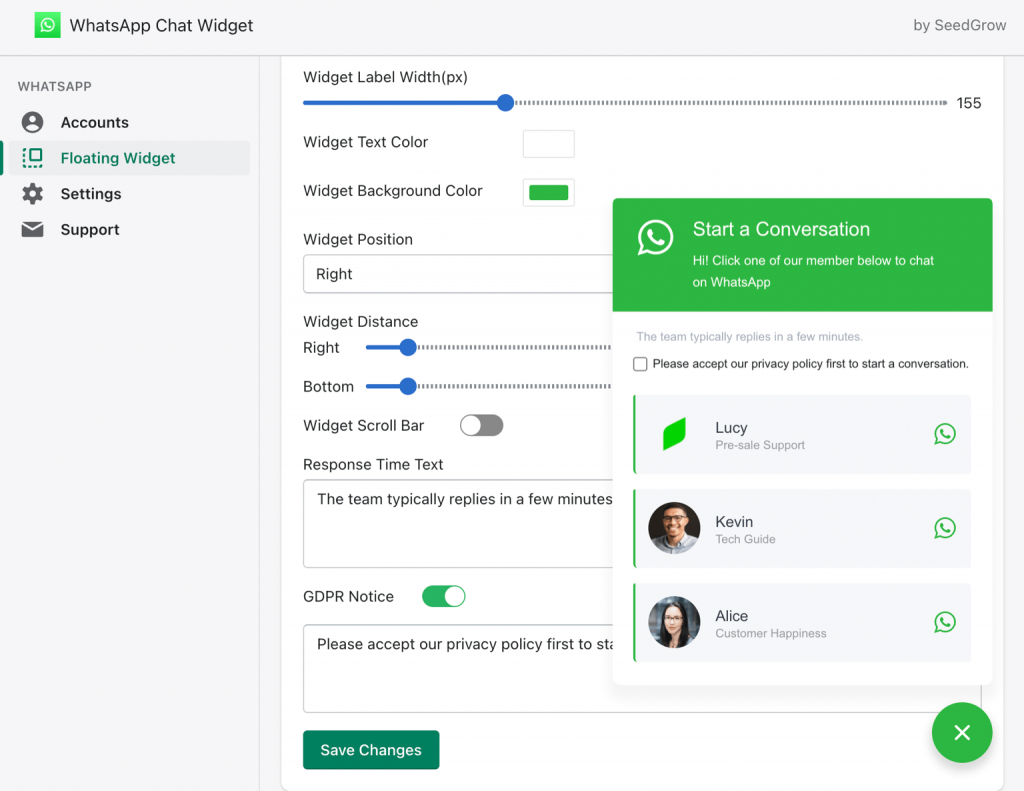
And while you’re on it, you can always see how the WhatsApp looks and performs. It’s live preview and you can interact with it even you haven’t launched it yet!
4. Go live
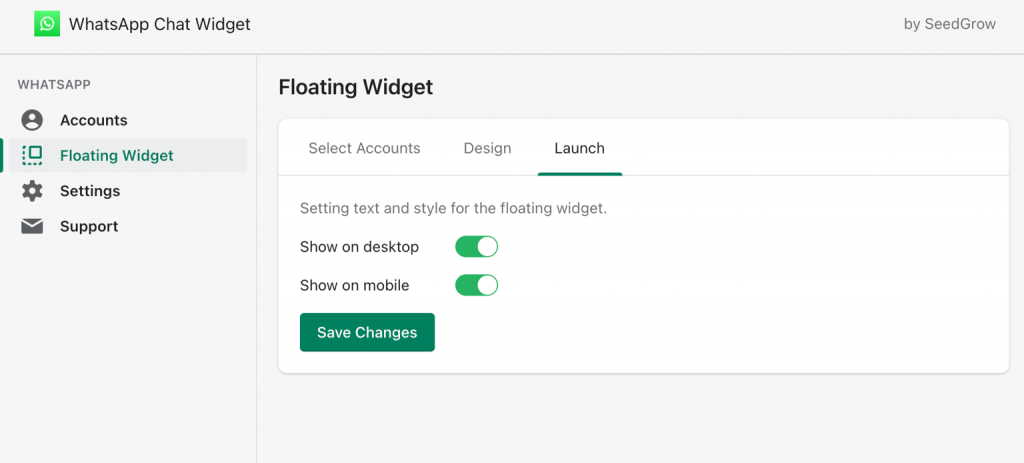
Simply choose to launch your WhatsApp widget on desktop and mobile devices.