On the Free plan, the app provides Basic PDF generation as a core feature.
PDF Functionality
The PDF documents are designed to ensure legal compliance with EU withdrawal rights.
Generation & Delivery
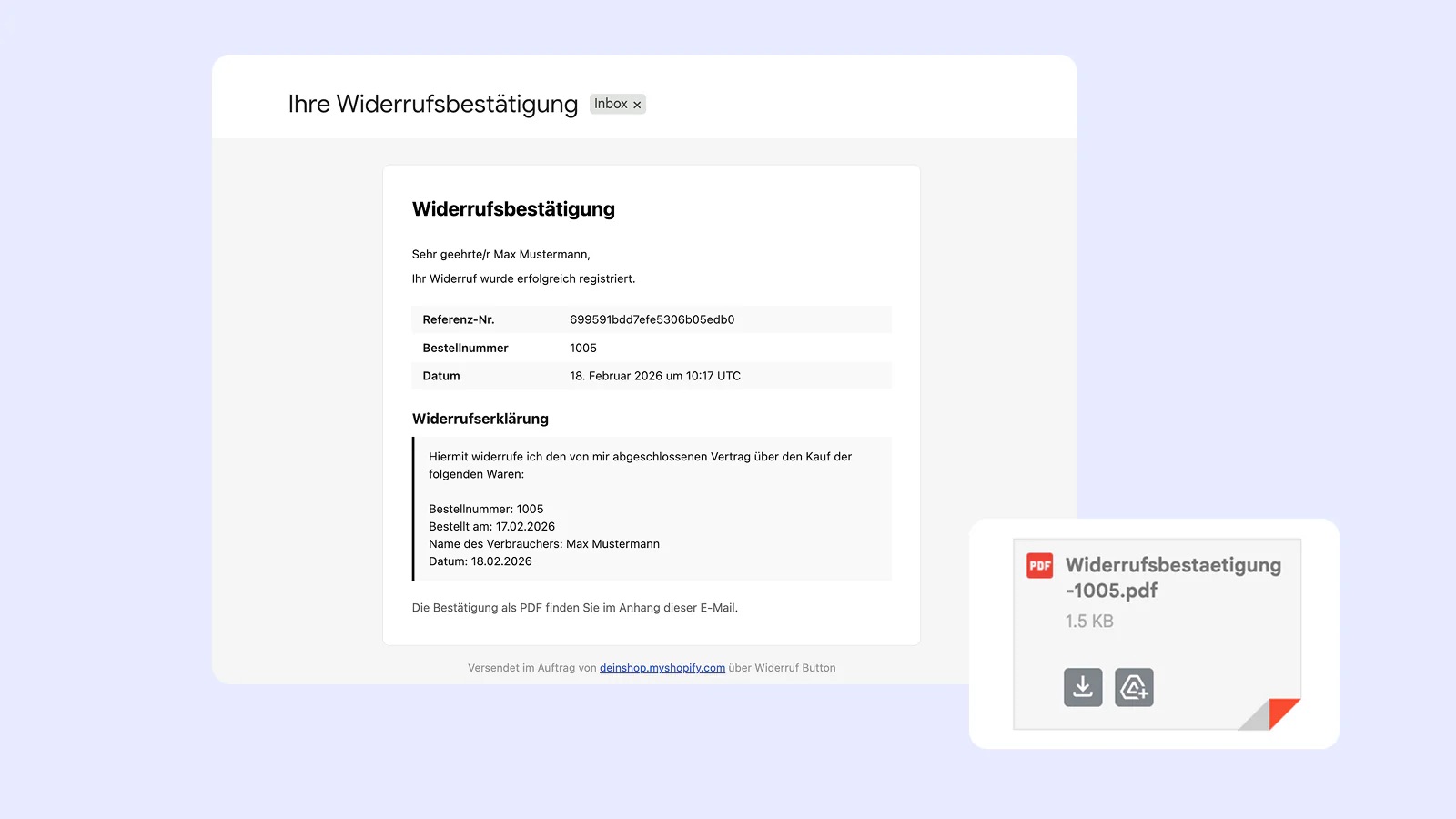
PDFs are generated on-demand rather than being stored as files. They are made available for immediate download on the success page after a customer submits the form and are automatically attached to the withdrawal confirmation email.
Format & Language
The document is in A4 format, supporting both German and English.
Confirmation Contents
The basic version includes all legally required information: a unique Reference ID, customer information, the order number, the legal declaration text, and the submission date.
File Naming
Files are named automatically based on the language used: Widerrufsbestaetigung-{orderNumber}.pdf for German or Withdrawal-Confirmation-{orderNumber}.pdf for English.
PDF Customization
The Pro Plan (and Development Stores, which receive these features for free) allows you to fully brand the PDF to match your store’s corporate identity.
You can configure these settings in Settings > PDF tab.
The following customization options are available:
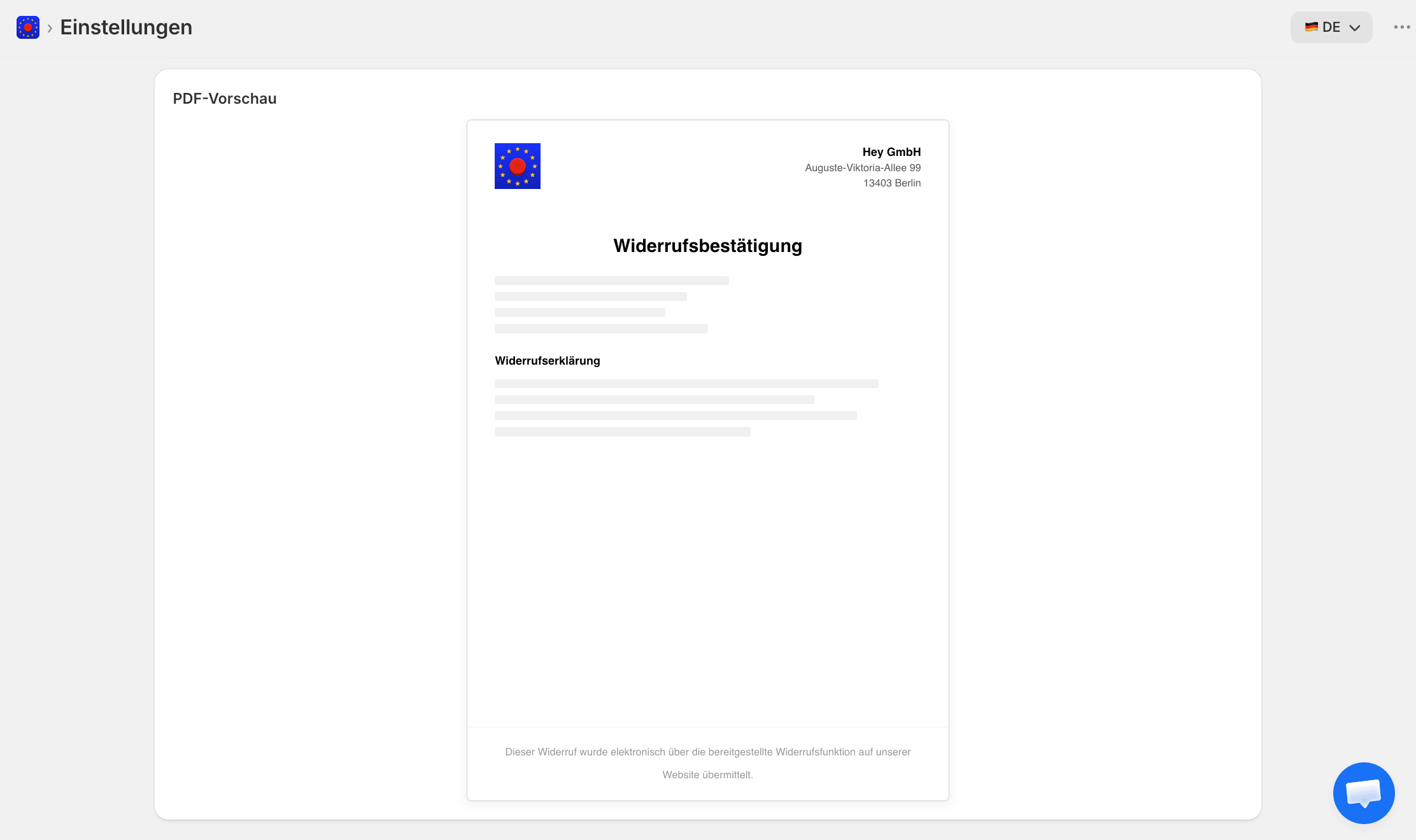
- Company Logo: You can upload a logo (PNG/JPG, max 2MB) that will appear left-aligned in the header. The recommended width is a maximum of 200px.
- Company Name: Adds your business name in a bold header on the right side of the document (up to 200 characters).
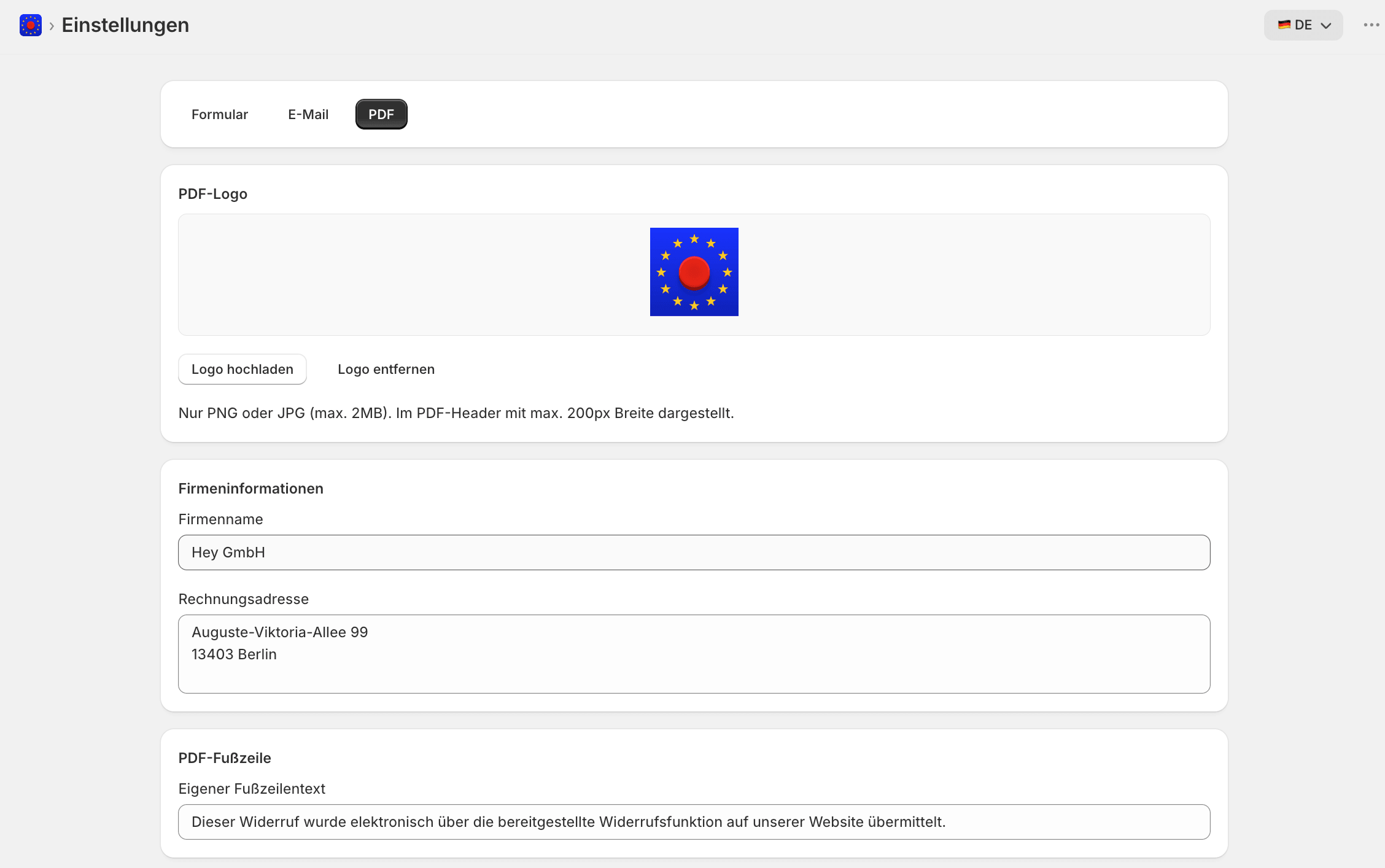
- Invoice Address: You can include a multi-line business address (up to 5 lines) that is right-aligned in the header.
- Custom Footer: Add a centered message at the bottom of the page, such as a thank-you note or legal disclaimer (up to 200 characters).
- Partial Revocation Support: If you enable partial revocations (a Pro-only feature), the PDF will automatically include a list of specifically selected products, including their quantities and prices, instead of just the whole order.
Note: If you ever downgrade from the Pro plan, your branding settings are preserved in the background but will no longer be applied to newly generated PDFs.