This guide outlines how to configure the withdrawal form to comply with EU consumer protection laws (BGB § 356a) while maintaining your store’s branding and operational requirements.
Withdrawal Form
The withdrawal form is a multi-step, no-login-required tool that allows customers to revoke their contracts within the legal 14-day window.
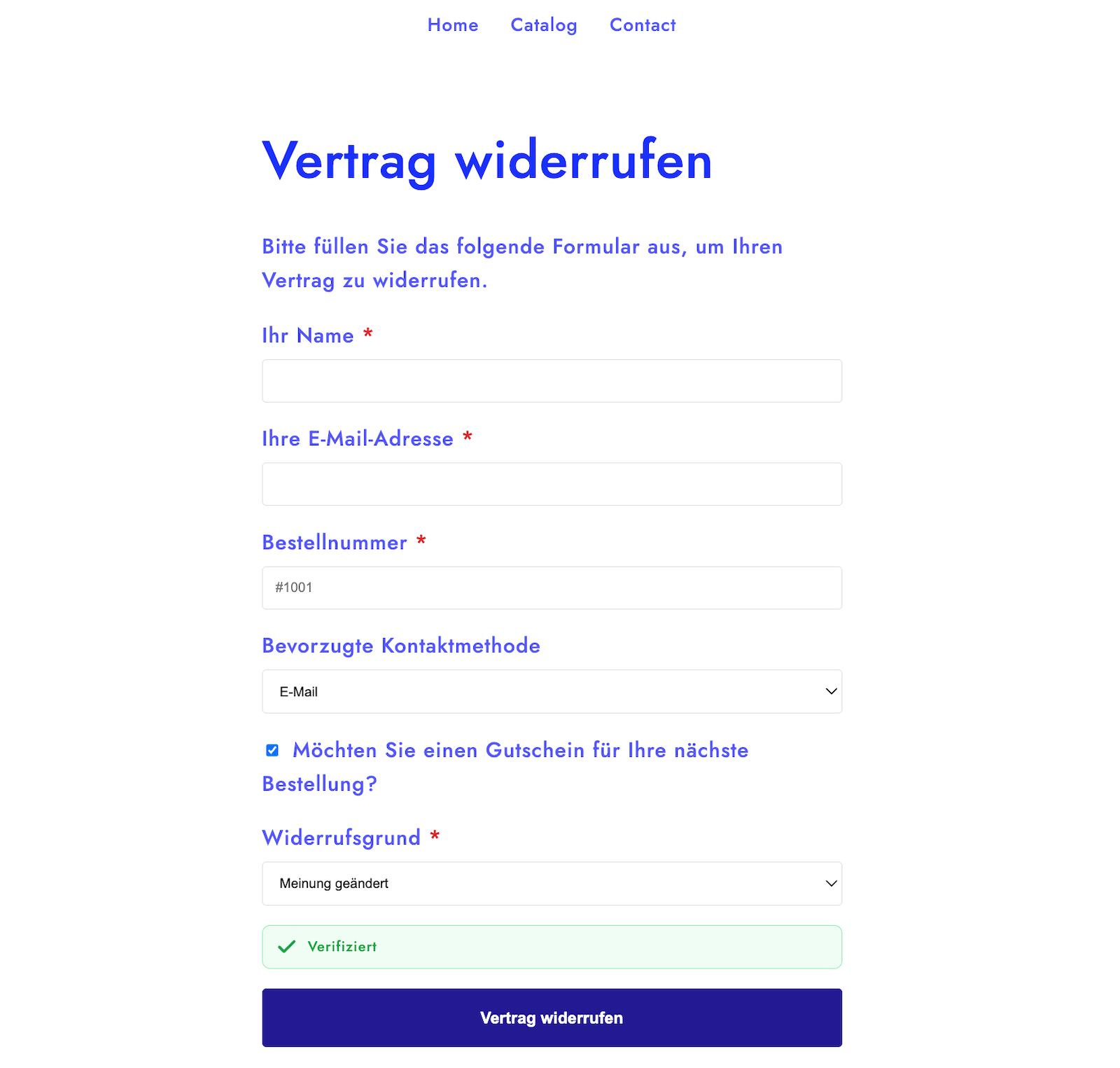
It is multilingual-supported and integrates directly with your Shopify store to validate order numbers and check for digital or Print-on-Demand (POD) exemptions.
Form Fields
In the Settings > Form section, you can manage the information collected from customers.
- Standard Fields: The form automatically collects the customer’s Full Name, Email, and Order Number.
- Additional Fields (Plus/Pro): You can use the custom field builder to add extra fields:
- Text (free input)
- Select (dropdown)
- Checkbox fields.
Conditional Logic
Merchants on the Plus or Pro plans can use conditional logic to keep the form clean.
Example: Ask for Input Reason for “Other”
To create a field that only appears when “Other” is selected as a reason:
- Create a Select field named “Withdrawal Reason” with options including “Other”.
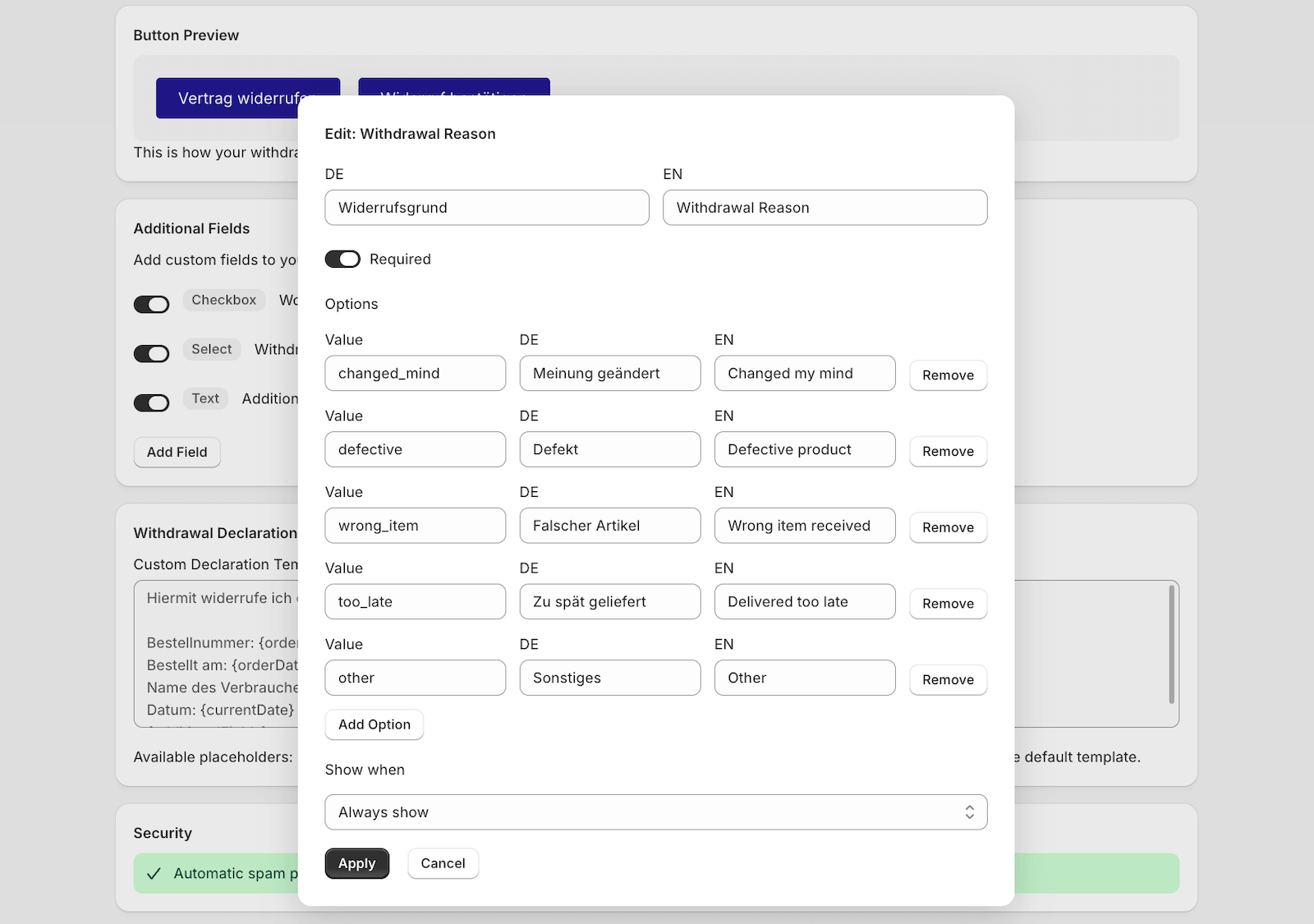
- Create a Text field named “Please specify reason” or “Additional Comments”.
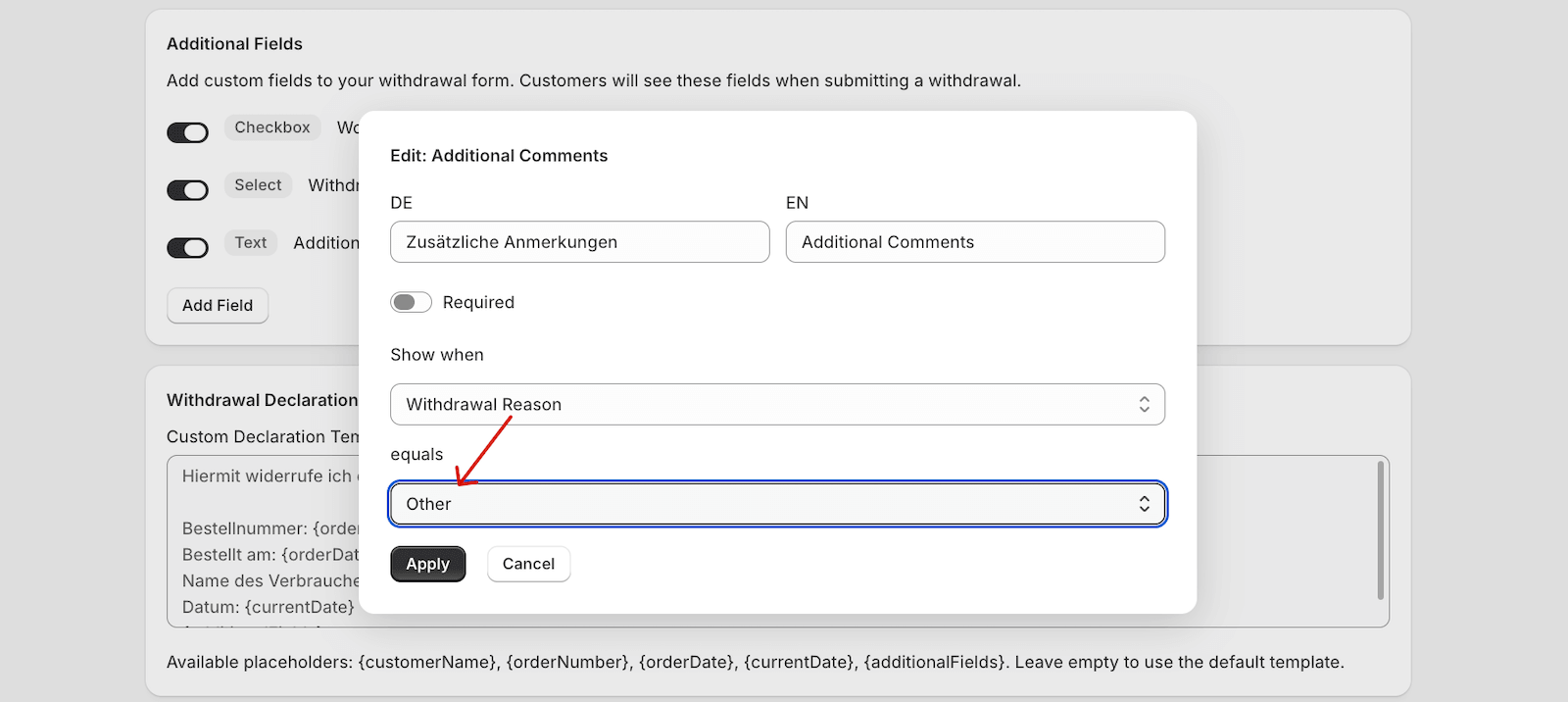
- In the field builder settings, enable conditional logic for the “Please specify” field and set it to only show when “Withdrawal Reason” matches “Other”.
Form Options
You have several configuration options to customize the user experience:
Button Customization
Customize the text (e.g., “Vertrag widerrufen”) and the appearance of the button, including Hex colors, style (solid or link), and border radius to match your theme.
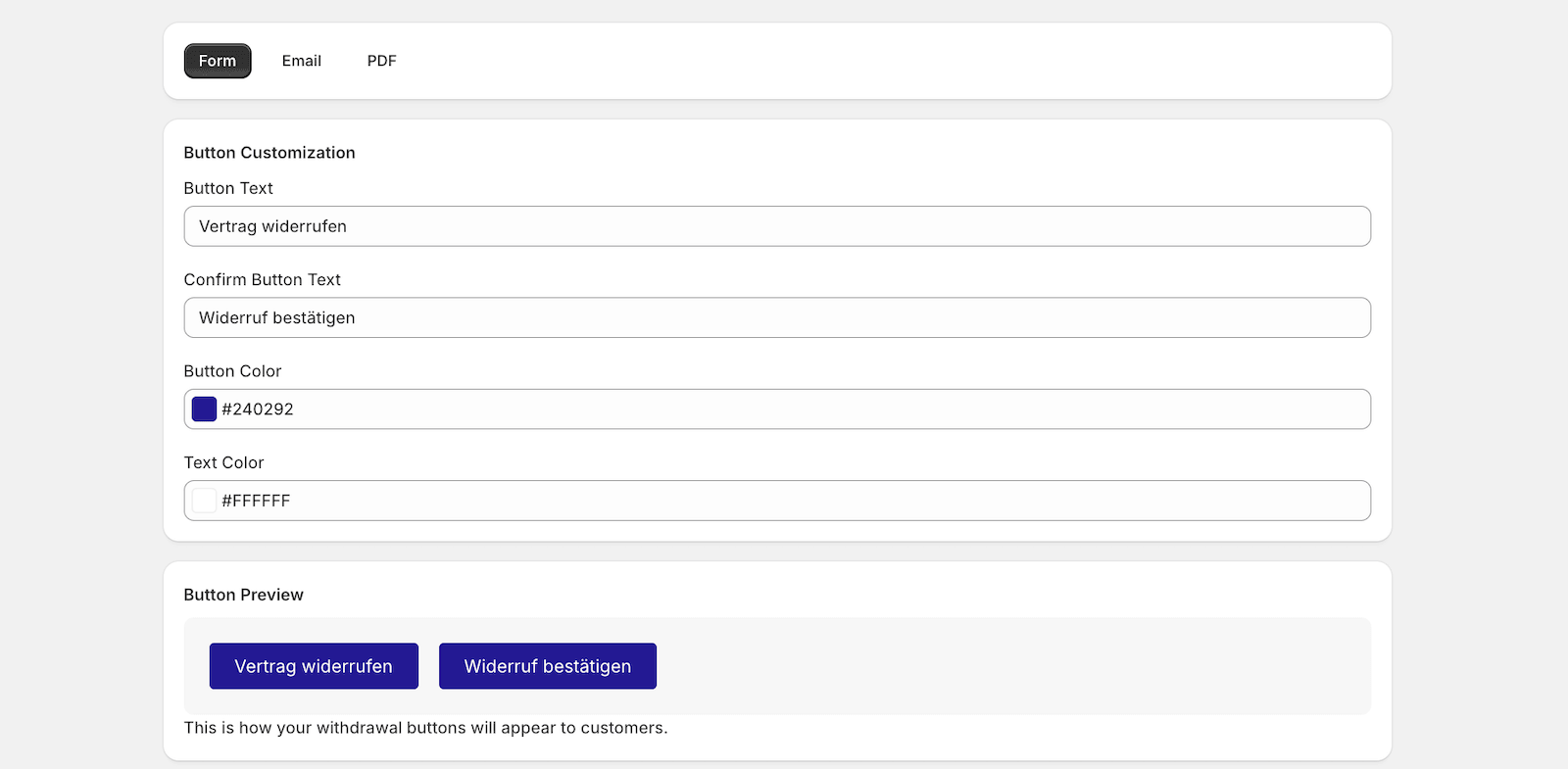
Note: This is the section to customize the buttons displayed on the 2-step form. To customize the withdrawal button itself, you’ll need to go to your theme customizer, or Shopify Admin > Online Store > Themes > Edit theme.
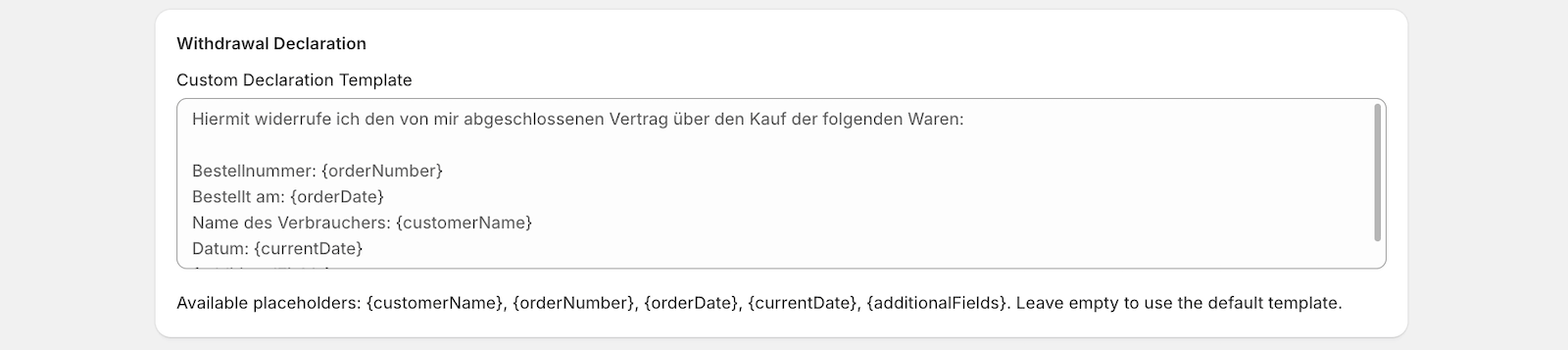
Declaration Template
This is the legal text the customer must confirm. You can use placeholders like {orderNumber}, {customerName}, and {orderDate} to automatically populate the text with specific order details.
Partial Revocation
If enabled, a product selection step appears, allowing customers to use checkboxes to select specific items (including variants and quantities) instead of revoking the entire order.
Settings
- Anti-Spam Security (Pro Feature): The form includes invisible protection such as a “honeypot” field and timing validation (requiring at least 2 seconds to submit) to block automated bots.
- Default Language: You can set the primary language of the form to either German or English.
Note: If you are using a Development Store, you have access to all of these Pro features, including custom fields and partial revocation, at no cost.