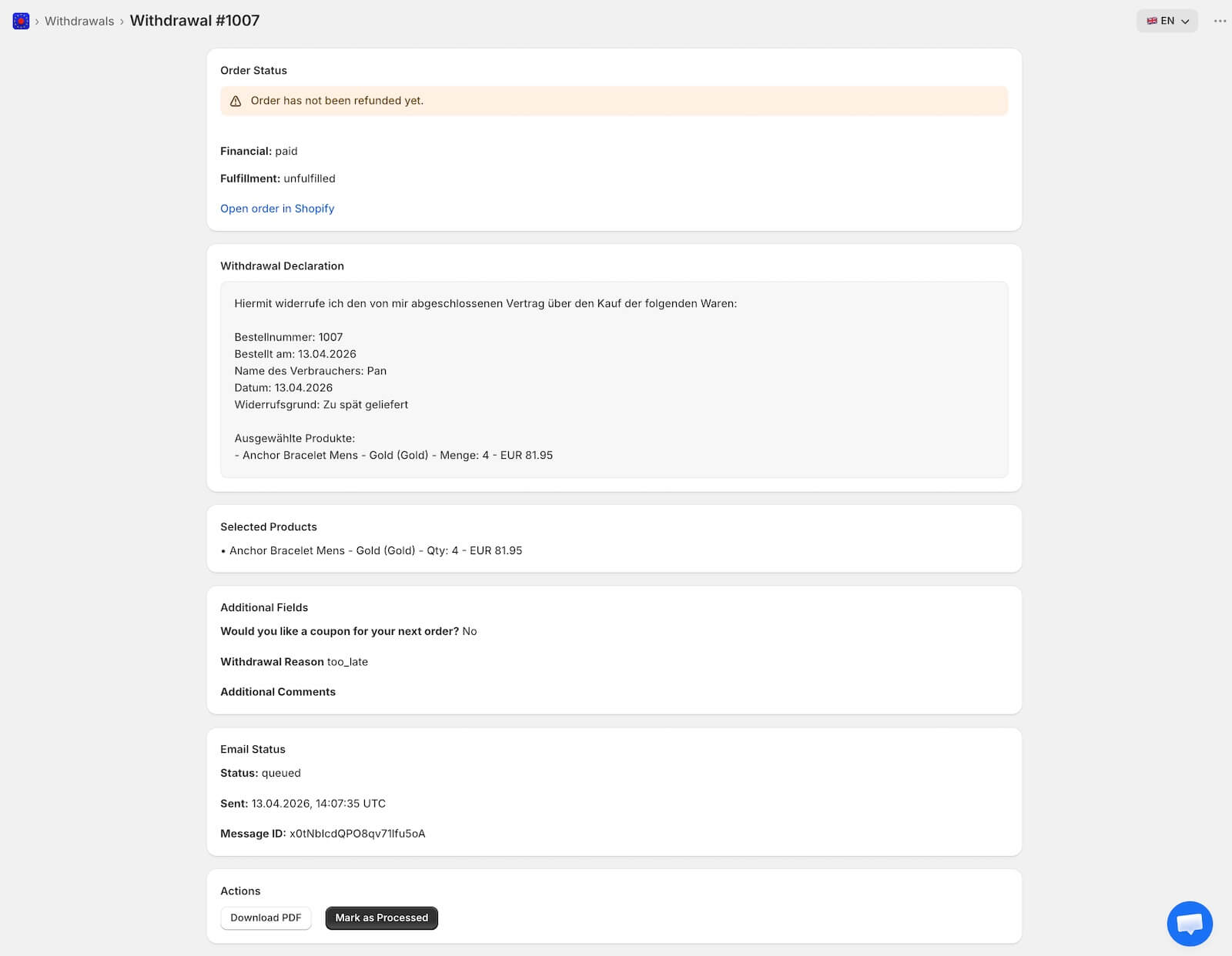
Partial withdrawal (or partial revocation) allows customers to select specific items from an order to return, rather than revoking the entire purchase.
This feature is exclusive to the Pro plan.
Merchant Setup
To enable this feature, go to Settings > Form and toggle the “Partial Revocation” switch to ON.

Product Selection
Once enabled, an additional step is added to the withdrawal process:
- Selection Screen: After entering their order details, customers see a list of all products in that order, complete with thumbnails, variant details, quantities, and prices.
- Checkboxes: Customers use checkboxes to pick which items they wish to revoke.
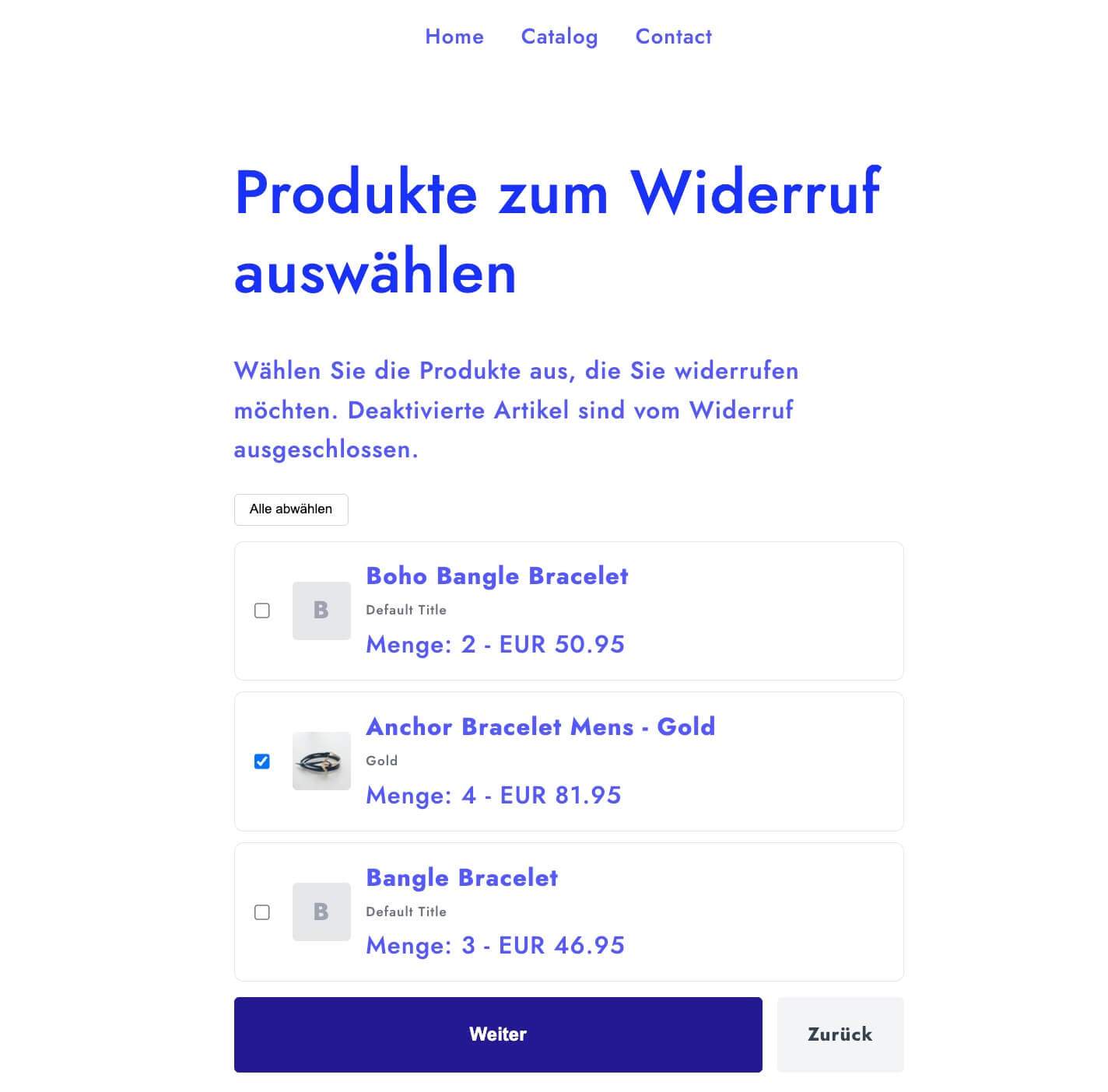
- Exemptions: Digital products or Print-on-Demand (POD) items are automatically disabled and marked with an “exempt” badge, preventing them from being selected.
- Validation: The system requires at least one product to be selected before the customer can proceed.
Confirmation
- Summary Page: Before submitting, the customer sees a confirmation screen summarizing their details and listing the specifically selected products.
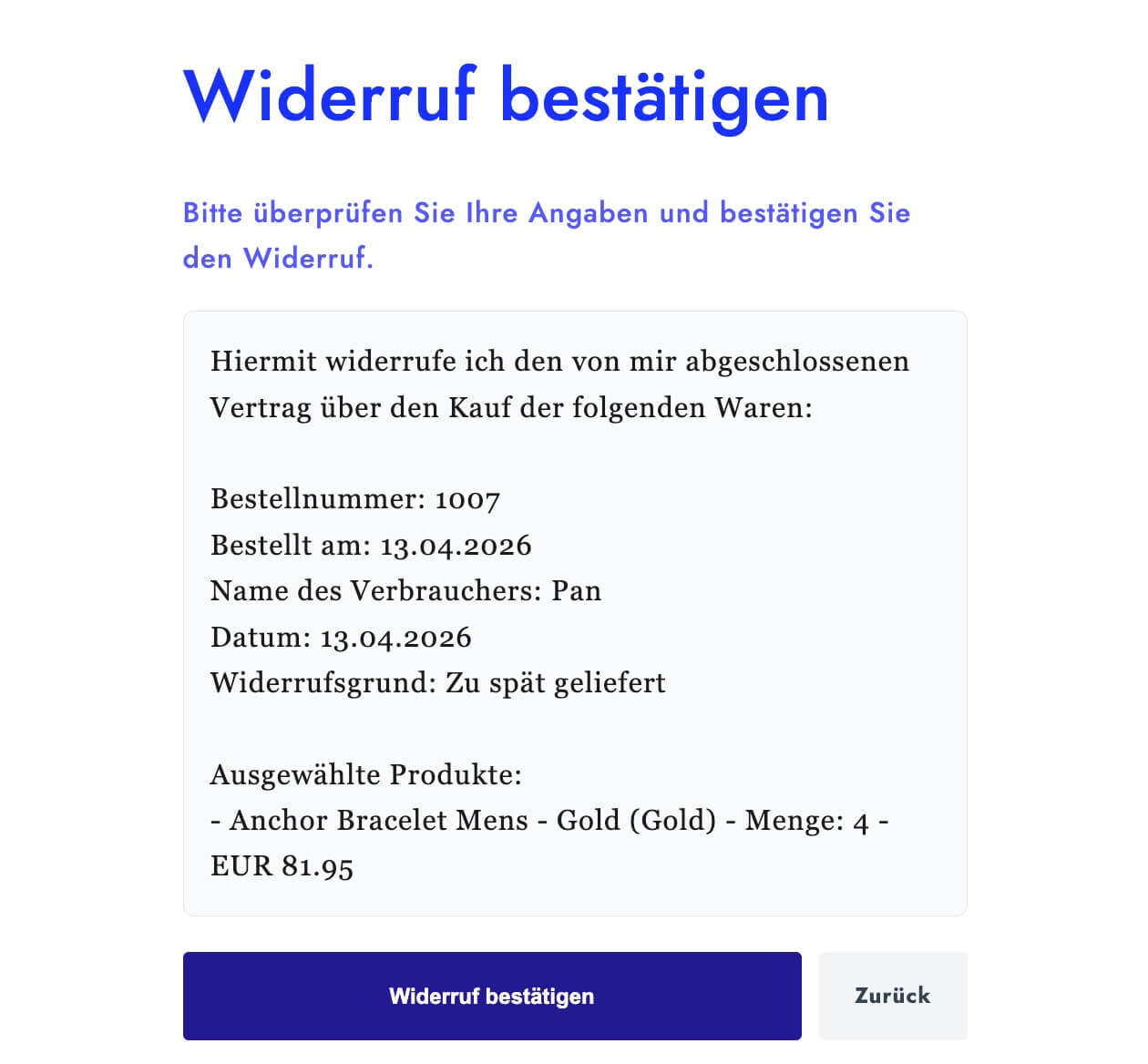
- Automated PDF: The generated PDF confirmation will explicitly list the items selected for revocation, including their quantities and prices.
Admin Management
When you view requests in your Shopify admin dashboard, you can see all withdrawal details, set it to partial refund in the Order details page, and mark as processed accordingly.