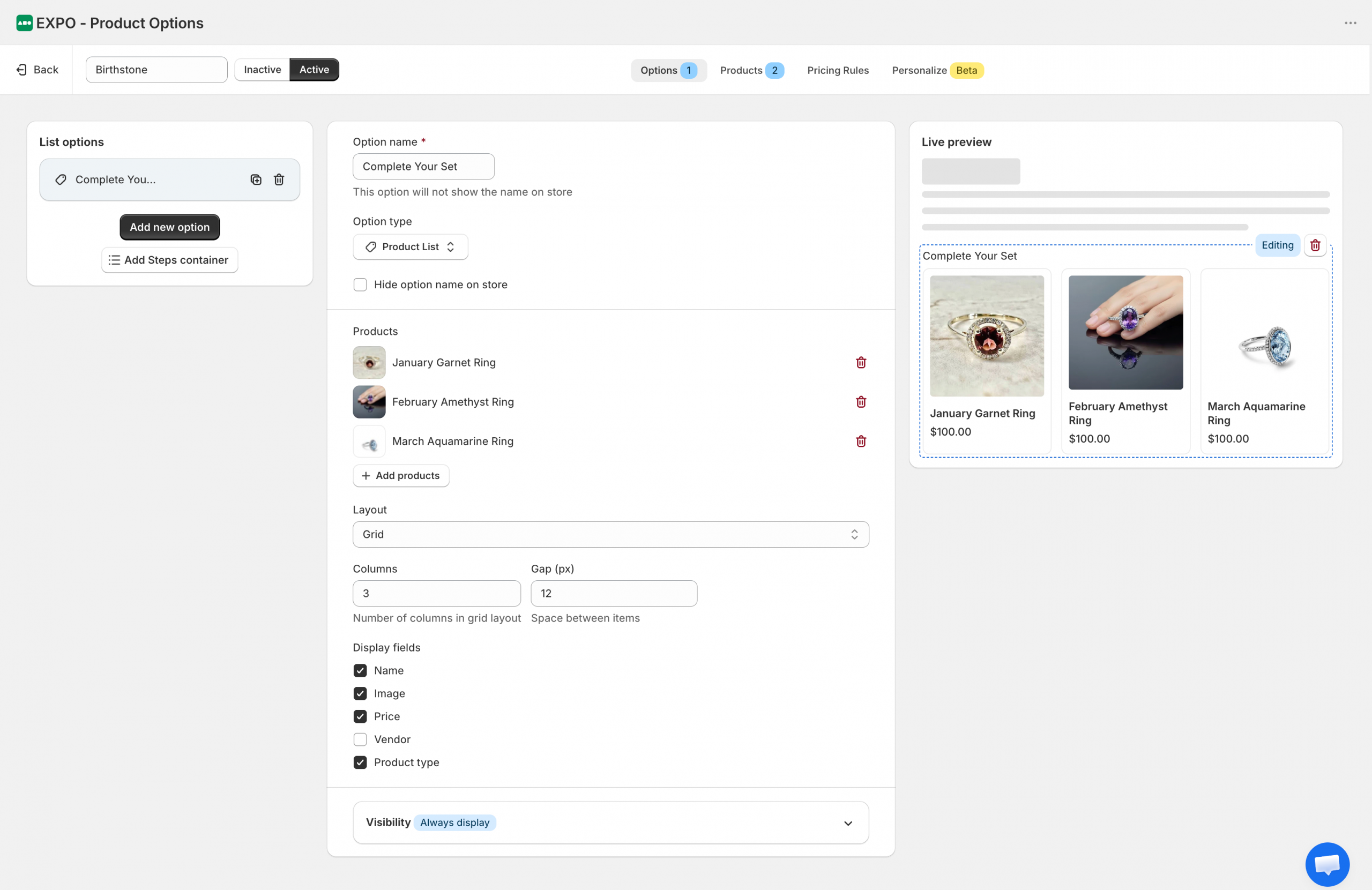
The Product List option allows you to display a curated list of Shopify products directly on the product page. Unlike other option types, it is designed to showcase related or complementary products, helping shoppers discover additional items and complete their purchase.
Basic settings
After adding a Product List option to your option set, you can customize which products are displayed, how they are presented, and when the list appears.
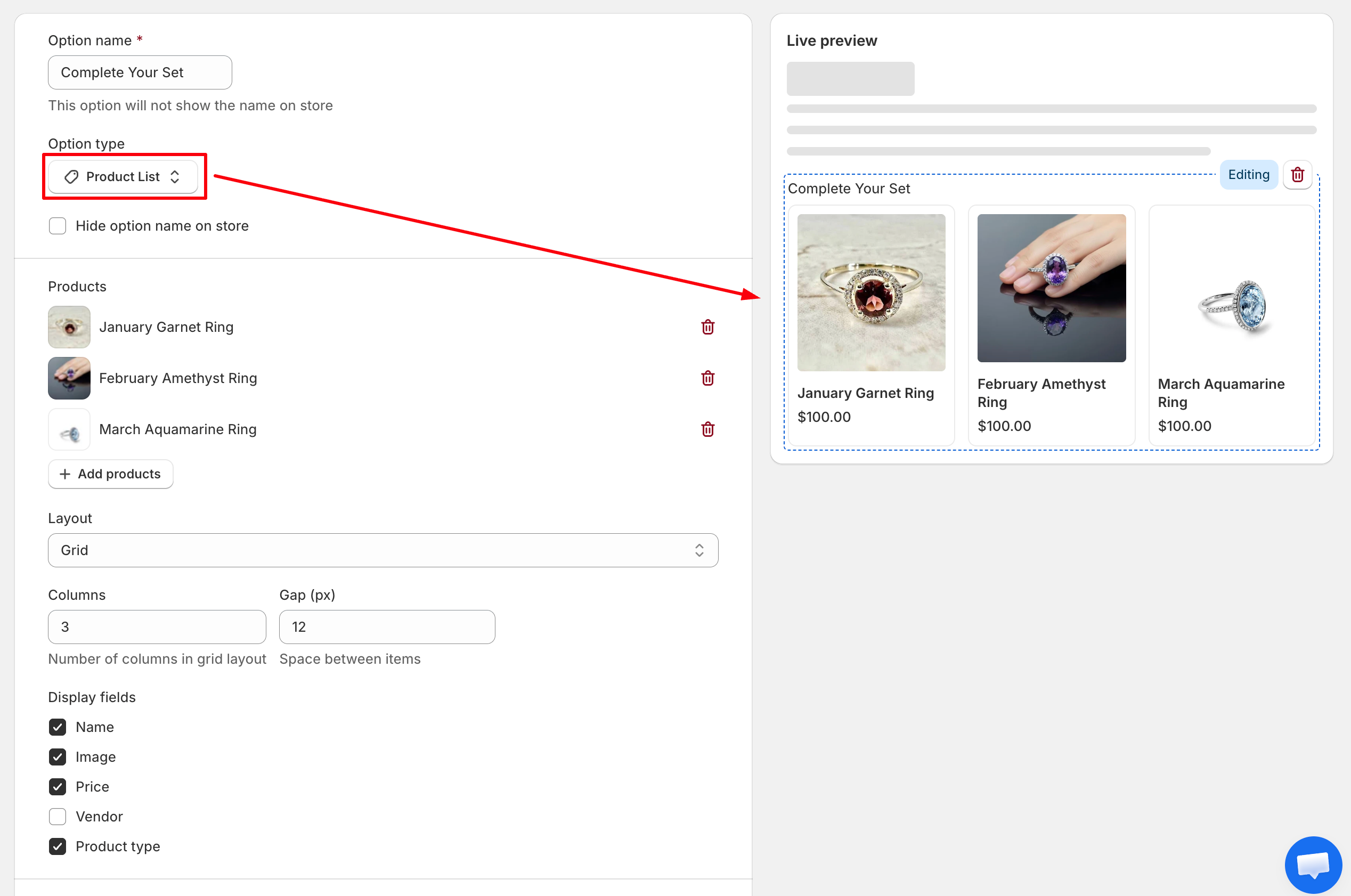
- Option name: The internal name of the option. By default, the option name is also displayed above the product list.
- Hide option name on store: Hide the option label on the storefront while keeping the product list visible.
- Products: Use this section to build and customize your product list.
- Add products: Select one or more Shopify products to display.
- Remove product: Remove a product from the list.
- Layout: Choose how products are displayed on the storefront.
- Grid: Displays products in a grid layout.
- List: Displays products in a vertical list.
- Columns: Specify the number of columns displayed when using the Grid layout.
- Gap: Set the spacing, in pixels, between product items.
- Display fields: Choose which product information is shown for each item: Name, Image, Price, Vendor, Product type
Visibility
Use visibility rules to control when this option is displayed.
You can show or hide the product list based on other option selections or configured conditions.
Frontend display
On the storefront, the Product List option displays the selected Shopify products using the configured layout.
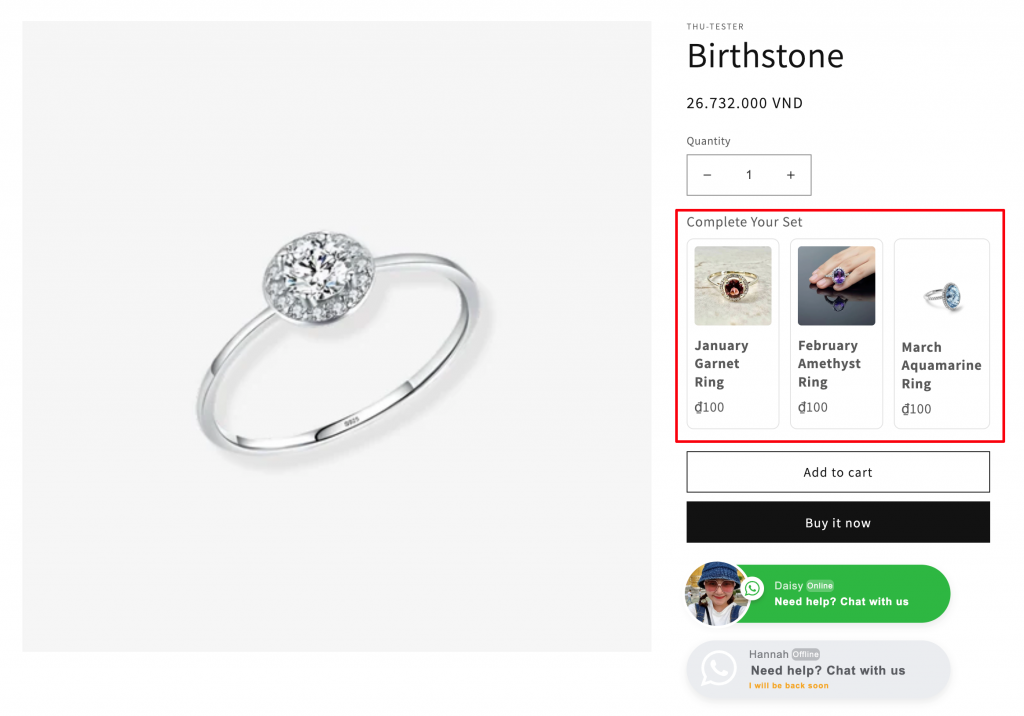
Depending on your settings, each product can display its image, name, price, vendor, and product type. Shoppers can browse the products and click on an item to learn more or purchase it.
Need Help?
We’re here for you!
Reach out to our support team directly from your EXPO dashboard we usually reply within a few hours. Or email us at [email protected] with your store link and a short description of what you need.
No question is too small – whether it’s your first time setting up an option or you just need a quick tip, we’re happy to help.