
Fall is more than a change in weather. For Shopify merchants, it can also mark the beginning of a much busier shopping period, especially for stores selling fashion, beauty, home goods, gifts, seasonal products, and other items that naturally see increased demand toward the end of the year.
If your store has been running with the same homepage, product pages, reviews, apps, and customer support setup for months, now is a good time to take another look.
The goal isn’t to completely redesign your Shopify store just because a new season is coming. Instead, you want to make sure your store is ready for more visitors, more product research, more questions, and potentially more orders.
Shopify itself recommends preparing early for major shopping periods by forecasting inventory, testing the customer experience, and making sure your website can handle increased demand.
So, what should you actually update?
Here are five Shopify store updates to make before the fall shopping season begins, from refreshing your storefront and product pages to improving reviews and making it easier for shoppers to contact you.
Table of Contents
5 Shopify Store Updates to Make Before Fall Shopping Season Begins
Use this table as a checklist before you touch the theme or add another app. Each row maps to one of the updates below.
| Update | What shoppers notice | What to change | Skip this, and you get |
| 1. Storefront refresh | First screen, banners, menu | Swap summer heroes, kill old sale bars, add fall collections in nav | A store that still looks like last season |
| 2. Product pages and collections | Titles, photos, size, shipping, one seasonal collection URL | Fix the SKUs you will push, then send ads and emails to that collection | Traffic that bounces because details are missing |
| 3. Reviews and social proof | Stars, written reviews, customer photos | Automate review requests after people have used the product; ask for photos | Pretty pages with one “Great!” review |
| 4. Easier support | How fast they can ask about size, stock, or delivery | Put email, Inbox, or WhatsApp where they already browse | Abandoned carts after a question they never asked |
| 5. Mobile and checkout test | Phone menu, Add to Cart, popups, payment steps | Walk homepage → product → cart → pay on your own phone; remove leftover apps | Friction that only shows up when traffic spikes |
Let’s take a closer look at each update below.
1. Refresh Your Shopify Store for the Fall Shopping Season
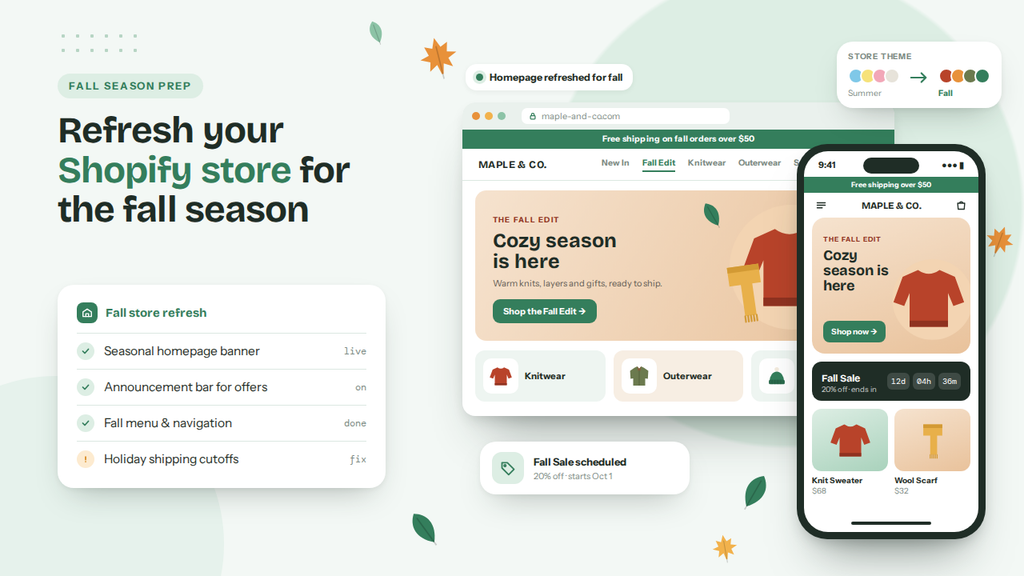
The first update to make is also one of the easiest to overlook: look at your Shopify storefront as if you were a first-time shopper.
Your store may be technically working perfectly, but that doesn’t necessarily mean it is ready for a new shopping season.
A homepage that made sense in spring or summer may no longer highlight the products you want customers to discover in fall. Older promotional banners may still be visible, bestselling products might be buried below the fold, and your navigation may not make it obvious which products are relevant to the current season.
You don’t necessarily need a completely new Shopify theme. In many cases, a few strategic updates can make the store feel much more current.
Start with your homepage. Look at the first section visitors see and ask yourself what you want them to understand within a few seconds. Are you promoting your seasonal collection? Are your best-selling products easy to find? Is your current offer clear? Does the imagery still match the products you’re trying to sell?
For example, a fashion store could replace a generic summer hero banner with a fall collection featuring jackets, knitwear, boots, or layered outfits. A home decor store could highlight autumn decorations or cozy home products. A beauty store might create a seasonal skincare collection or promote products designed for changing weather.
The same principle applies to your navigation. Instead of making shoppers browse through your entire catalog, consider creating seasonal collections such as Fall Favorites, New Arrivals, Back-to-School Essentials, Gifts Under $50, or Holiday Prep.
This doesn’t just make your store look seasonal. It can also reduce the amount of work shoppers need to do before finding something relevant.
Don’t forget your promotional messaging.
Fall is also a good time to review your announcement bars, popups, promotional banners, and other store messages.
If you have an old “Summer Sale” announcement sitting at the top of your website, remove it. If you are preparing an early fall promotion, make the message specific rather than simply saying “Sale Now.”
At the same time, avoid filling every available space with promotions. Your homepage should still help shoppers understand what you sell, why your products are useful, and where they should go next.
The best seasonal update is often a focused refresh rather than a complete redesign.
2. Update Product Pages and Seasonal Collections
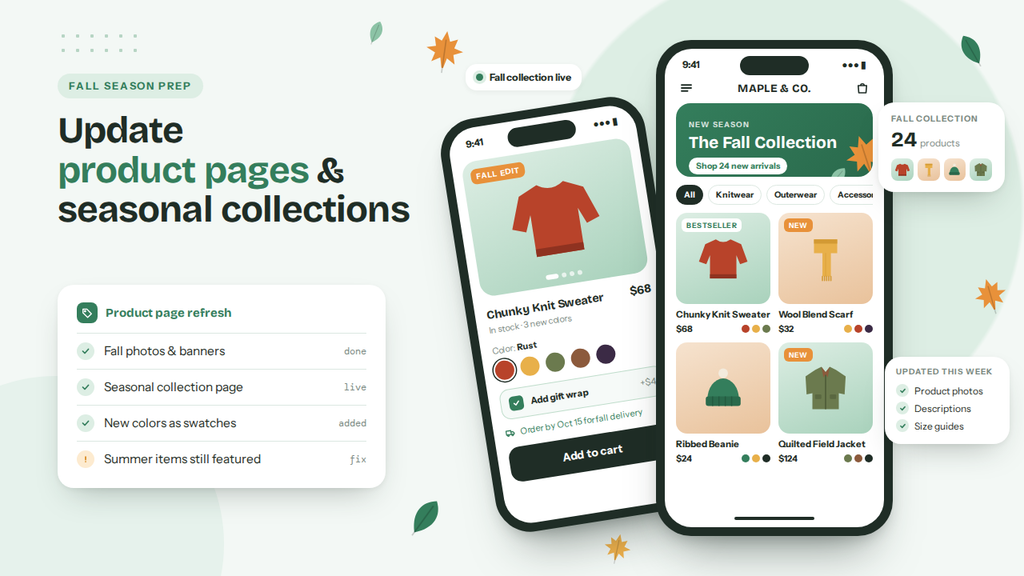
Once your homepage is ready, move deeper into your Shopify store.
Seasonal traffic is only valuable if shoppers can quickly understand your products and decide whether they are right for them. That makes product-page optimization one of the most important Shopify updates to complete before the fall shopping season.
Start by reviewing the products you expect to promote heavily during the season.
Are the product titles clear? Are the descriptions still accurate? Do your images show the product from useful angles? Are product variants correctly configured? Are sizing, materials, shipping information, and return policies easy to find?
These details matter because seasonal shoppers may have less patience for uncertainty. If someone is comparing several products, even a missing piece of information can be enough to make them leave the page and look elsewhere.
This is particularly important if you are introducing new seasonal products. Don’t simply upload the product and assume the product page is finished. Think about the questions a shopper would ask before buying and make sure the page answers them.
For example, if you’re selling fall clothing, customers may want to know about sizing, fit, fabric thickness, warmth, and care instructions. If you’re selling home products, they may care about dimensions, materials, compatibility, and delivery times.
A seasonal collection can also give your marketing campaigns a clear destination.
Instead of promoting ten different products across different pages, you can create a dedicated Shopify collection and send shoppers directly there.
A collection aimed at shoppers with a specific budget.
This approach becomes particularly useful as the season moves toward Black Friday and Cyber Monday. Shopify reported that its merchants generated $14.6 billion in global sales during BFCM 2025, up 27% from 2024, underscoring the importance of preparing storefronts and operations before the busiest shopping period.
You don’t have to wait until Black Friday to start preparing.
Fall is a useful transition period where you can identify your strongest products, improve their pages, collect more customer feedback, and build the collections you’ll eventually use in larger campaigns.
3. Strengthen Product Reviews and Social Proof
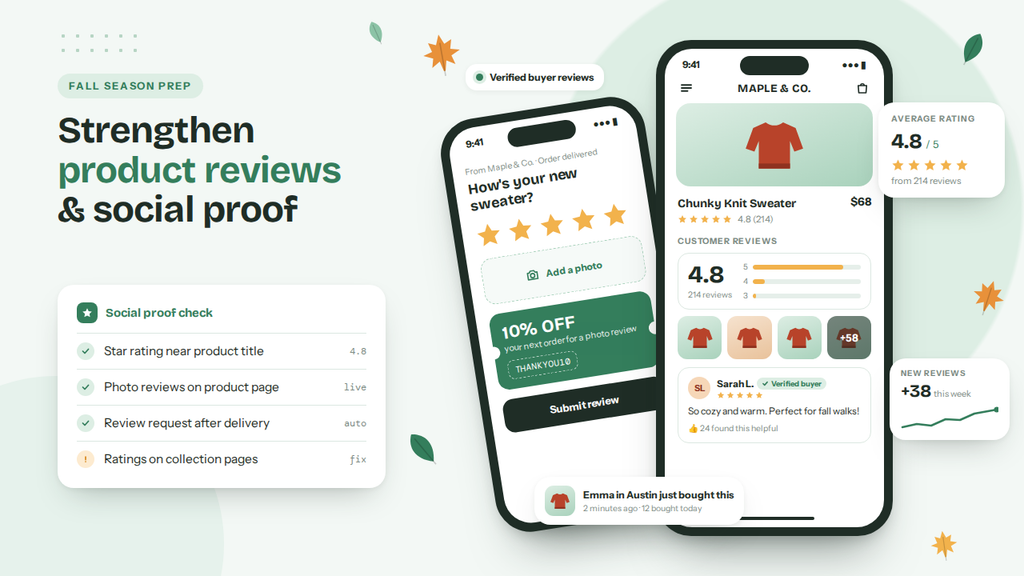
Imagine two Shopify stores selling similar products. The first product page has beautiful images, a detailed description, and a polished design – but only one customer review. The second has the same type of product information, but also includes dozens of customer reviews, star ratings, and photos from real customers.
Customer reviews help shoppers understand what other people think about a product before making a purchase. Photos and videos can be even more useful because they show how products look outside of your carefully produced product photography.
Instead of waiting for customers to leave reviews naturally, you can set up an automated process to request feedback after their orders are fulfilled.
Use review requests to prepare for seasonal traffic
For example, imagine that you sell skincare products.
A customer purchases a product in early September. Rather than immediately asking for a review, you can wait until they’ve had enough time to use the product and then send a review request.
That review may then be available when another shopper visits the same product page later in the season.
This creates a useful cycle:
Purchase → Review request → Customer feedback → Social proof → More confident shoppers
Shopify’s ecosystem includes dedicated tools for automating this process. SeedGrow Product Reviews & Rewards, for example, can automatically send review requests after fulfillment, allow customers to submit photo and video reviews, and display reviews through customizable widgets. It also supports discount-code rewards for reviews.
The important point isn’t simply to collect as many reviews as possible. You want to make your reviews useful.
A review that says “Great!” doesn’t tell a future shopper much.
A review that explains how the product fits, how it was used, what the customer liked, or includes a real product photo can answer questions that your product description cannot.
That’s why photo and video reviews can be particularly valuable for seasonal shopping. They provide shoppers with another source of information before they commit to an order.
4. Make Customer Support Easier to Access
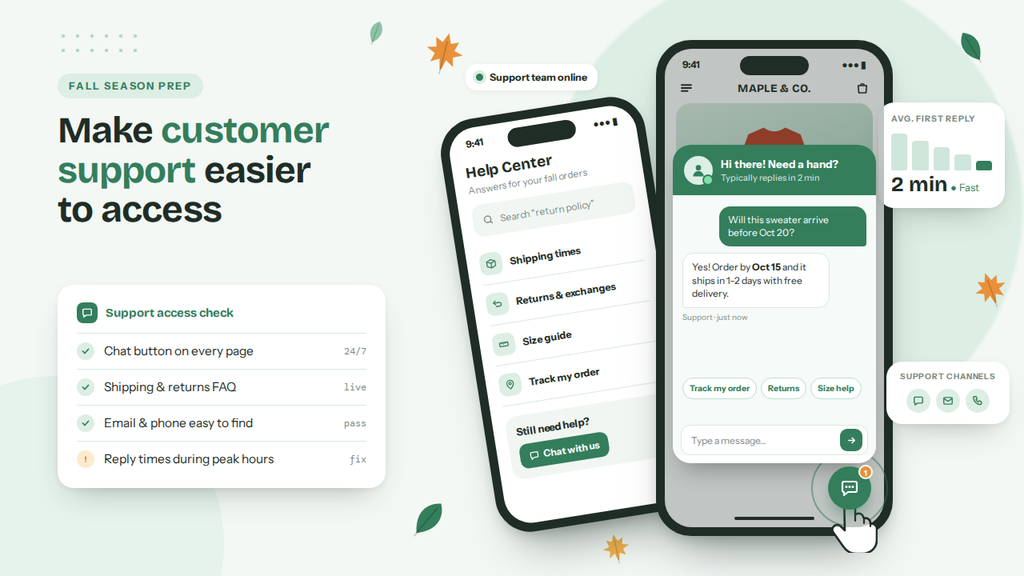
Customers might want to know whether a product is available, which size they should choose, whether an item can arrive before a certain date, whether you ship to their country, or whether two products are compatible.
If finding an answer takes too much effort, some shoppers will simply leave.
That’s why customer support should be treated as part of your Shopify storefront experience – not something that only happens after an order has been placed.
A simple way to improve this is to make your preferred communication channel highly visible.
For some stores, that might be email or Shopify Inbox. For others, it could be Instagram, Messenger, or WhatsApp. If your customers already use WhatsApp regularly, adding a WhatsApp chat option can reduce the distance between a question and an answer.
A floating WhatsApp button lets shoppers start a conversation while browsing your store, rather than searching for a contact page.
This can be especially useful for products that require pre-purchase questions.
These conversations can be valuable because they reveal exactly where customers are experiencing uncertainty.
SeedGrow WhatsApp Chat Widget is one option for adding this type of communication to a Shopify store. The app provides a floating WhatsApp widget that can appear on product, collection, and blog pages, as well as other areas of a store. It also supports multiple WhatsApp numbers, prefilled messages, page-specific visibility, customizable styling, and click tracking depending on the plan.
Test it on your product pages, collection pages, mobile devices, and different Shopify theme templates. Make sure the button doesn’t cover important elements or interfere with navigation.
5. Test Your Mobile Shopping and Checkout Experience
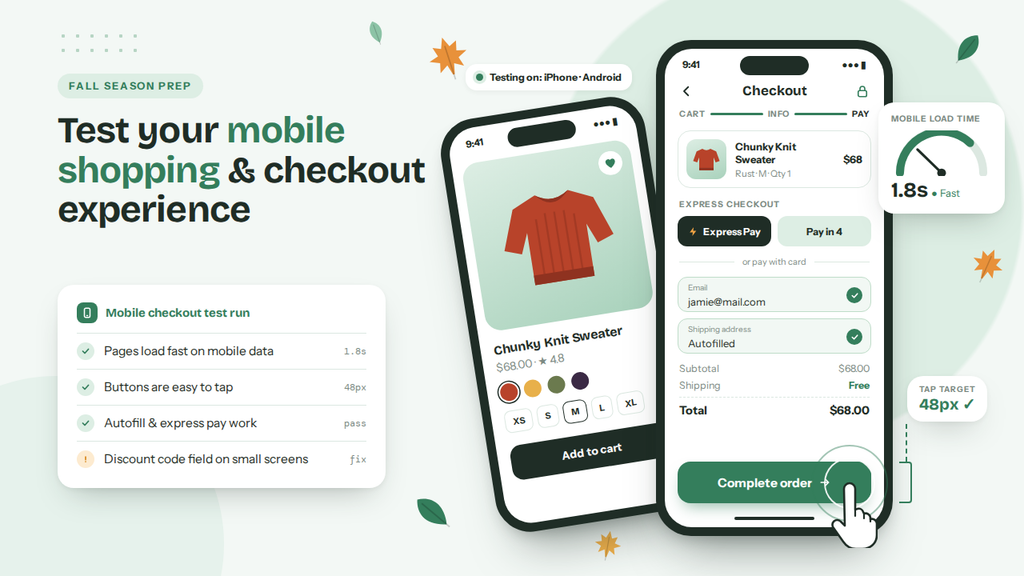
You should test mobile shopping and checkout yourself because mobile accounts for the majority of ecommerce traffic, while mobile cart abandonment remains meaningfully higher than on desktop.
Shopify cites Dynamic Yield benchmark data showing mobile generated roughly 76% of ecommerce visitors over the preceding year.
A full test run should cover:
- Homepage → collection → product search
- Product page → variant selection → add to cart
- Discount code → checkout → shipping info → payment
Small frictions worth catching:
- A menu that’s hard to use
- Slow-loading images
- A hard-to-find “Add to Cart” button
- Popups covering product info
- A chat widget overlapping other elements
- Unclear shipping costs
- Unnecessary checkout steps
Also review your installed apps for:
- Apps you no longer use
- Apps adding unnecessary popups or widgets
- Duplicate functionality
- Apps left misconfigured after a theme change
- Apps affecting mobile performance
Shopify’s 2026 checkout guidance emphasizes faster checkout, mobile-first design, trust signals, multiple payment options, and reducing friction throughout the buying process.
Pro Tip: A few hours of testing before the season starts can surface problems that would otherwise show up during peak traffic.
Common Mistakes You Need to Avoid During Fall Season Store Updates
Fall store work is easy to overdo. Merchants often swap the theme, pile on banners, and add apps in the same week, then discover the real problems on a phone during a sale. Treat this as a storefront check, not a rebuild. The five updates above only help if you skip the traps below.
- Changing the Shopify theme right before peak traffic: A new theme can break product templates, apps, and checkout extras you already rely on. Update homepage sections, images, banners, and collections first. Save a full theme change for a quieter window.
- Leaving last season’s messages live: A “Summer Sale” bar, expired popup, or vague “Sale Now” line makes the store look neglected. Remove old campaigns. If you run an early fall offer, name the collection or product group, and keep one message in view at a time.
- Refreshing the homepage and ignoring product pages: Shoppers still land on jackets, kits, or gift items from ads and search. Missing size, fit, fabric, dimensions, shipping, or returns details will send them elsewhere. Finish the products you plan to push, then build the seasonal collection around those pages.
- Waiting for reviews to appear on their own: A polished page with one “Great!” review does not help a first-time buyer. Set review requests to go out after the customer has used the product. Ask for photos or short videos. Tools such as SeedGrow Product Reviews & Rewards can send those requests and show the replies on the product page.
- Hiding help, or covering the page with a chat button: Fall shoppers ask about stock, size, delivery dates, and compatibility. If they cannot find a way to ask, they leave. Email, Shopify Inbox, or WhatsApp can work. If you add a floating WhatsApp widget, test it on product and collection templates so it does not sit on Add to Cart or the menu.
- Skipping a real mobile checkout run: Most store visits happen on phones, and small issues add up: slow images, popups on the description, extra checkout fields, leftover apps after a theme edit. Walk homepage to collection to product to cart to payment on your own phone. Turn off apps you no longer use before you send more traffic.
Frequently Asked Questions
Now, let’s take a look at some frequently asked questions and answers on this topic.
What should I update in my Shopify store before fall?
Start with the homepage, seasonal collections, product pages, reviews, support, and a mobile checkout test. You do not need a full redesign. Fix what helps people find products, trust the page, ask a question, and pay.
Should I change my Shopify theme for fall?
Usually no. A theme swap close to peak traffic can break templates, apps, and checkout extras. Update hero images, banners, navigation, and collections instead. Change the theme later, when you have time to test.
How can I get more reviews before the holiday season?
Send a review request after the customer has used the product, not the minute the order ships. Ask for a photo or short video. A line about fit or how they used it helps the next shopper more than “Great!” Apps such as SeedGrow Product Reviews & Rewards can send those requests and show the replies on the product page.
Should I add WhatsApp to my Shopify store?
Add it if your customers already message on WhatsApp. A floating button on product and collection pages cuts the time between a size or shipping question and an answer. SeedGrow WhatsApp Chat Widget can support multiple numbers, prefilled messages, and page-level visibility. Test it on a phone so it does not sit on Add to Cart.
Do I need new seasonal collections for fall?
Yes, if your catalog is large. Collections such as Fall Favorites, New Arrivals, or Gifts Under $50 give ads and emails one destination. Point those collections at the products you actually plan to stock and promote.
What should I check on product pages before fall traffic arrives?
Titles, photos, variants, size or dimensions, materials, shipping, and returns. Seasonal shoppers compare quickly. A missing fit or delivery note is enough for them to open another tab.
How visible should customer support be on the storefront?
Visible enough that a shopper does not hunt for a contact page. Use the channel they already use: email, Shopify Inbox, Instagram, Messenger, or WhatsApp. Treat pre-purchase questions as part of the store, not only post-purchase tickets.
Why does mobile checkout testing matter before fall?
Most visits come from phones, and small issues show up there first: slow images, popups on the description, extra checkout fields, a chat bubble over the button. Walk homepage to product to cart to payment on your own phone before you send more traffic.
Which apps should I review before the season starts?
Unused apps, duplicate widgets, leftover popups, and anything left misconfigured after a theme edit. Extra scripts slow pages and hide the Add to Cart button. Turn off what you do not need.
When should I start these Shopify updates?
Before you push fall ads and email campaigns. Homepage and collections can go live first. Product details, review requests, support, and a full mobile checkout pass should be done while you still have time to fix what breaks.
Final Thoughts
The fall shopping season can arrive faster than expected. One minute you’re finishing your summer campaigns, and the next you’re preparing fall collections, holiday promotions, and Black Friday offers.
The good news is that getting your Shopify store ready doesn’t have to mean starting from scratch.
Start with the customer journey.
Refresh what shoppers see first. Make your seasonal products easier to discover. Give them enough information to make confident decisions. Strengthen your reviews and social proof. Make it easy to ask questions. Then test the entire shopping experience on mobile before you send more traffic to your store.
A well-prepared Shopify store isn’t necessarily the one with the most features. It’s the one where customers can find what they need, trust what they see, get help when they need it, and check out without unnecessary friction.
And if you’re preparing now, you have one major advantage: you still have time to fix the small things before they become big problems during peak shopping season.
